


Recently, I was talking to a manager who let me know how much he hates the elearning courses he has to take at his company. "As far as I'm concerned, the people who design these things are elearning fascists. It's bad enough that the courses we take are pointless, but the navigation is also locked so we can't click to advance until the course lets us. I hate that!" "But, I have to lock the course." says the instructional designer. "If I don't, the learners will just click the next button and skip to the end. I ...
Because a large part of elearning involves the learner viewing the screen, it's critical that the visual elements you choose enhance the learning experience. Today, I'll touch on three graphic design principles for instructional designers. They will help you build visuals that support your design and help you build more effective courses. Use layouts to convey meaning and relationships. When you place text and graphics on a screen, you can't assume that the learner automatically understands what it means. Your job is to create relationships and guide the learner's understanding. Look at the image below. Without explanation, you're left to wonder what ...
What Everybody Ought to Know About Instructional Design
July 22nd, 2008In an earlier post, we looked at how to build better courses by trimming out some of the content. Many of the follow-up comments and questions speak to your role as an instructional designer. In fact, it's a question I was asked in a recent email:
What is the role of the instructional designer? And how do I convey that to my clients and subject matter experts?As I was contemplating a response, I stumbled upon this video that does a great job illustrating the value of instructional design. Watch the video first and then I've got ...
 I once had a client who was adamant about never using "cartoons" (as she called all illustrations) in her elearning projects. For her, we either used pictures of real people or we didn't use graphics at all. This caused some problems for us because we didn't have a lot of images of real people with which to work. On top of that, we didn't have a large budget that allowed us to buy want we needed.
This issue wasn't new to me, and from what I gather from the emails I ...
I once had a client who was adamant about never using "cartoons" (as she called all illustrations) in her elearning projects. For her, we either used pictures of real people or we didn't use graphics at all. This caused some problems for us because we didn't have a lot of images of real people with which to work. On top of that, we didn't have a large budget that allowed us to buy want we needed.
This issue wasn't new to me, and from what I gather from the emails I ...
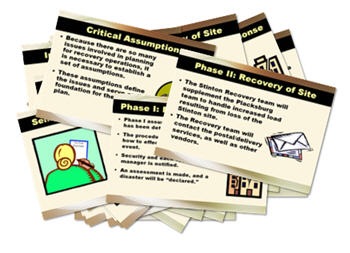 "Help! My client just dumped a 200-slide PowerPoint file on my desk and wants me to turn it into an elearning course. What do I do?"
Do you feel his pain? If you've been building elearning courses for any length of time, then you know exactly what he's going through. In fact, this is one of the questions I'm asked the most. Everyone wants to know how to weed through all of the text and data that the client wants to throw into the course and still make it a ...
"Help! My client just dumped a 200-slide PowerPoint file on my desk and wants me to turn it into an elearning course. What do I do?"
Do you feel his pain? If you've been building elearning courses for any length of time, then you know exactly what he's going through. In fact, this is one of the questions I'm asked the most. Everyone wants to know how to weed through all of the text and data that the client wants to throw into the course and still make it a ...
At a recent conference, I was showing people how to build interactive scenarios using illustrated clip art characters. Someone asked how I would build a scenario with people from photos because some people don't like using the illustrations. Essentially, you can do the same thing with people in photos that you can with illustrated clip art people. However, photos present a few challenges. The first is finding the right images. And the second is pulling the people out of the background. The good news is that you can find a lot of images in the package that comes with ...
A good scenario can make your elearning courses engaging and more real to your learners. It's a great way to get them to learn to use the course information and make the decisions you want. Where I live, the threat of earthquakes is real so we were required to have a 72-hour emergency pack at our desks. Needless to say not many of us did. However, we always passed the online safety courses that required we have 72-hour packs. Fortunately, we never had an earthquake that warranted using the 72-hour pack. This example represents the challenge with a ...
If you listen to the pundits and some elearning experts, you'd think that only those expensive elearning courses custom built in Flash have any value. While these people pay lip service to rapid elearning, they usually relegate it to low-level elearning. This is really code for ineffective or boring, "click and read" elearning. Some of them even look at rapid elearning with disdain. And believe it or not, they think that many of you aren't capable of building effective elearning courses.  As my daughter would ...
The Real Purpose of the E-Learning Template
June 10th, 2008Last week I told you to stop using templates for e-learning that were designed for presentations. Presentation templates are designed for a different purpose. Sure, you're using PowerPoint to author the course, but you're not building a presentation. You're building an elearning course. So, different rules apply. You had some lively feedback in the comments section and I also got a ton of email from you. I didn't realize how passionate people are about this issue. Because of the comments, I thought it best to do a follow up. The ...
When it came to buying a car, Henry Ford always promised that you "can buy it in any color, as long as it is black." That might have worked for Henry Ford, but it doesn't really work for elearning. Or it shouldn't. However, every week I get emails from blog readers that basically read like this:
"My company uses a branded PowerPoint template for presentations. Now that we're building elearning courses, we're forced to use that same template. And, it just doesn't work for elearning! What should I do?"I ...
5 Ways to Bring the Web Inside Your E-Learning Courses
May 27th, 2008One of my favorite features of some rapid elearning tools is their ability to insert a Web object. What's so cool about it is that whatever you can do online or with a Web technology, you can pretty much add to your rapid elearning course. That's a lot of power and it's super easy to do. However, I find that inserting Web objects is probably the least used feature in the rapid elearning tools. So today, I'm going to share 5 things that you need to know about the Web object feature so that you can ...
I've done a lot of software training. Many times the elearning part of the course is to introduce the software and give an overview of its features or basic uses. I like to call it "show and tell" training. There are many ways to approach software training. You can make it as complex or simple as you want. It really depends on your needs and the software. I'm not going to go into great detail about how to design software training. However, I will show you some simple tips and tricks that are effective and generally ...



0
comments