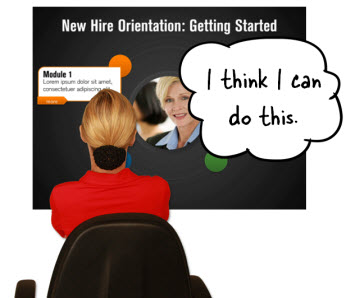
 One of the topics we cover in the elearning workshops is how to quickly create templates to help move the elearning courses out of that PowerPoint look. At a previous workshop someone wanted to see how this was done so we created one quickly in class. I like to do these templates because they help bring out a few ideas. Ideas to Inspire Your Creativity Most of us aren’t graphic designers and we struggle to come up with a nice looking design. One way to work around that is to be ...
Read the full article
 I get a lot of requests for software demos and quick tutorials. I also do quite a few webinars. Because of this, I am always figuring out just the perfect screen resolution for my software applications. Another challenge is that most screencasts are recorded at a higher resolution than used in the elearning courses. You may record a full screen demo and then have to squeeze it down to something like 1024x768. And any time you scale a screencast down you’ll run into some image degradation. ...
Read the full article
 If you’re building elearning courses, then you should expect to have a graphics editing program as part of your tool chest. In a previous post I mentioned a few free (or low cost) graphic editors if you don’t already have one.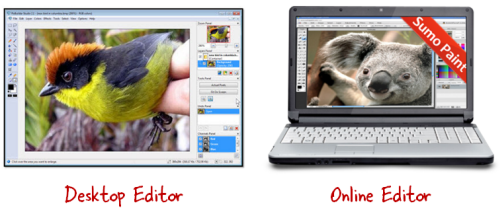
...
Read the full article
 One of my favorite parts of going to elearning conferences is meeting so many of the industry’s thought leaders. During my recent trip to the Learning Solution Conference in Orlando I ran into one of my mentors and a real elearning pioneer, Dr. Werner Oppelbaumer.
I was able to get some time with him for a brief interview. We discussed the industry and where he sees things going. I also asked for a sneak peek at some of his innovative technology ...
One of my favorite parts of going to elearning conferences is meeting so many of the industry’s thought leaders. During my recent trip to the Learning Solution Conference in Orlando I ran into one of my mentors and a real elearning pioneer, Dr. Werner Oppelbaumer.
I was able to get some time with him for a brief interview. We discussed the industry and where he sees things going. I also asked for a sneak peek at some of his innovative technology ...
Read the full article
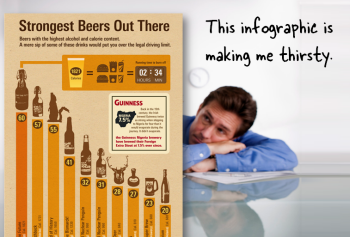 Infographics are the hot! They catch your attention because they look great and have strong visual hooks.
I like them because they remind me a little of I Spy where you get to explore a busy graphic and search for interesting nuggets of information. Of course, not everyone’s a big fan of infographics.
There are many parallels between infographics and elearning. They both share information in a visual medium. Those who design infographics start with lots of information and distill them to a few ...
Infographics are the hot! They catch your attention because they look great and have strong visual hooks.
I like them because they remind me a little of I Spy where you get to explore a busy graphic and search for interesting nuggets of information. Of course, not everyone’s a big fan of infographics.
There are many parallels between infographics and elearning. They both share information in a visual medium. Those who design infographics start with lots of information and distill them to a few ...
Read the full article
 In a recent post, I shared my recent webinar with the E-Learning Guild and some of the conversation we had around rapid elearning.
In today’s post we’ll look at another part of the conversation where we discussed what skills are needed to succeed and how they can be nurtured.
Rapid E-Learning Developers Wear Many Hats
When I first started with elearning we’d have a team of people working on projects. Someone did the instructional design, someone else worked on ...
In a recent post, I shared my recent webinar with the E-Learning Guild and some of the conversation we had around rapid elearning.
In today’s post we’ll look at another part of the conversation where we discussed what skills are needed to succeed and how they can be nurtured.
Rapid E-Learning Developers Wear Many Hats
When I first started with elearning we’d have a team of people working on projects. Someone did the instructional design, someone else worked on ...
Read the full article
 I read this interesting article the other day about how Google’s designers changed the look and feel of their products. It reminded me a lot of what we have to do when building elearning courses and it’s in line with many questions I get about elearning design during my workshops. Here are some things that relate to what we do in the world of elearning. Build Consistent Navigation ...
Read the full article
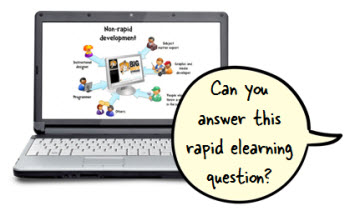 Recently I participated in an interview-style webinar for the E-Learning Guild. I really liked the process they used. It was a hybrid webinar—part interview and part presentation. They sent some questions and then I made up slides to go with my answers. If you do webinars, it’s a technique worth exploring.
I’ve had a few people ask about the interview so I pulled together some of the questions and answers. I broke the interview questions into a few chunks. Today we’ll look at ...
Recently I participated in an interview-style webinar for the E-Learning Guild. I really liked the process they used. It was a hybrid webinar—part interview and part presentation. They sent some questions and then I made up slides to go with my answers. If you do webinars, it’s a technique worth exploring.
I’ve had a few people ask about the interview so I pulled together some of the questions and answers. I broke the interview questions into a few chunks. Today we’ll look at ...
Read the full article
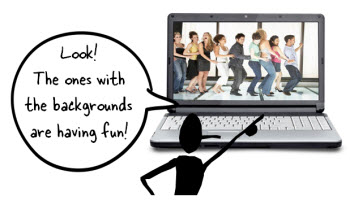 During the year I conduct dozens of elearning workshops. I dedicate a large part of the workshop to graphic design because based on what I see, it’s an area that challenges many elearning developers. Most of the people I meet have a training background. They may have some graphic design skills, but they usually find their roots in training. So they tend to be stronger in instructional design than graphic design. ...
Read the full article
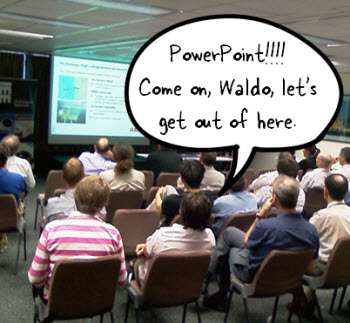 I know it’s hard to believe, but apparently, there are many people who don’t like PowerPoint. Obviously, there are a lot of bad presentations created with PowerPoint, but it seems to me the blame rests on the shoulders of the presenter and not the tool. Besides, PowerPoint’s a versatile tool that’s used for more than bad presentations.
Personally, I think PowerPoint’s one of the single best multimedia applications. The secret is to look at PowerPoint in a different way. And once you do that ...
I know it’s hard to believe, but apparently, there are many people who don’t like PowerPoint. Obviously, there are a lot of bad presentations created with PowerPoint, but it seems to me the blame rests on the shoulders of the presenter and not the tool. Besides, PowerPoint’s a versatile tool that’s used for more than bad presentations.
Personally, I think PowerPoint’s one of the single best multimedia applications. The secret is to look at PowerPoint in a different way. And once you do that ...
Read the full article
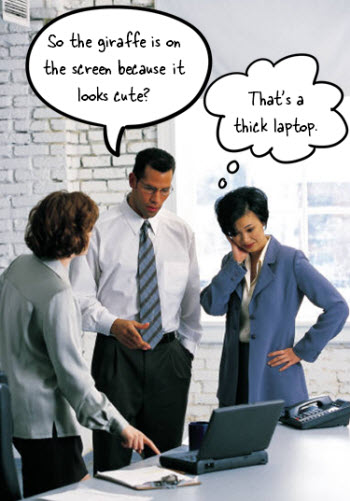 A while back I shared an example of how to create more engaging course objectives. It’s a great way to get past the bullet list of learning objectives that we often see in courses. I then did a follow up post on how to quickly find images for your elearning courses. The tips in that post are good, but they set up an issue we commonly run into when building courses. If ...
Read the full article
 Many people are stuck in the world of linear, click-and-read content. Sometimes it’s because that’s all the organization wants. And sometimes it’s because we’re not quite sure how to make something more interactive. It’s probably the subject I’m asked about the most. One of the most frequent questions I get. The cool thing is that regardless of the tools you use, you can still build interactive content.
One of the best ways to learn to build better courses is to find some good examples, ...
Many people are stuck in the world of linear, click-and-read content. Sometimes it’s because that’s all the organization wants. And sometimes it’s because we’re not quite sure how to make something more interactive. It’s probably the subject I’m asked about the most. One of the most frequent questions I get. The cool thing is that regardless of the tools you use, you can still build interactive content.
One of the best ways to learn to build better courses is to find some good examples, ...
Read the full article





0
comments