The Rapid Elearning Blog

Archive for the ‘Professional Development’ Category


free e-books and best e-learning books

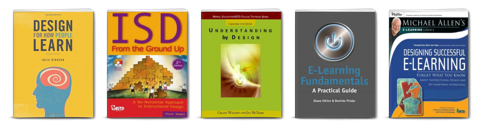
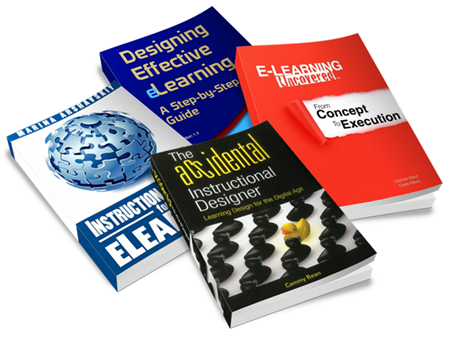
One of my goals each year is to read one book a month that will help sharpen my course-building skills. I’m always asked for book recommendations. Some of the recommendations are for those getting started, even if you’re an experienced course designer it helps to review familiar course design concepts or expand to other fields like UX or graphic design.

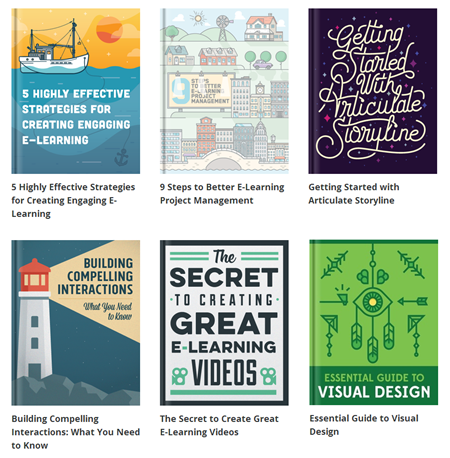
If your goal is to read twelve books this year, here’s a list to help you get started. Even if you don’t read them all this year, some of these are good to have on hand in your elearning reference library.

Instructional Design Books

instructional design books free e-books and best e-learning books

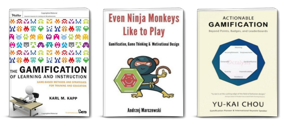
Gamification Books

gamification books free e-books and best e-learning books

Gamification is more than a buzz word and the principles that make games work can be applied to course design to create more engaging and effective elearning.

Graphic & UX Design Books

graphic design books free e-books and best e-learning books

Courses are more than content. The look and feel of the content is also important as well as the user experience. Here are some good books to help you learn more.

Video Production

video books free e-books and best e-learning books

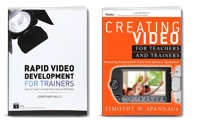
Video is viable for elearning now so it doesn’t hurt to learn more about using it in your courses. The challenge for many of us is how to do it on a budget. Here are two books that have been recommended to me. I haven’t read either yet. If you have, let me know what you think.

The links to Amazon books may produce a slight commission.

12 Free eBooks

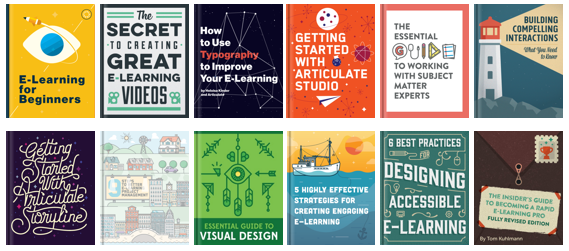
I’ve mentioned this before, but there’s a good list of free ebooks in the elearning community. If you don’t want to spend money, this is a good place to start. You have one free ebook for each month.

free e-learning books free e-books


My first book to read will be Even Ninja Monkeys Like to Play. What are you reading this year?

Events

Free E-Learning Resources

Want to learn more? Check out these articles and free resources in the community.

Here’s a great job board for e-learning, instructional design, and training jobs

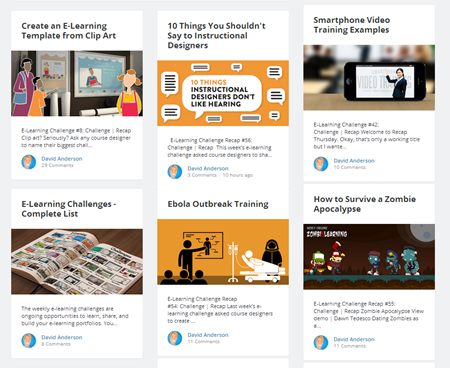
Participate in the weekly e-learning challenges to sharpen your skills

Get your free PowerPoint templates and free graphics & stock images.

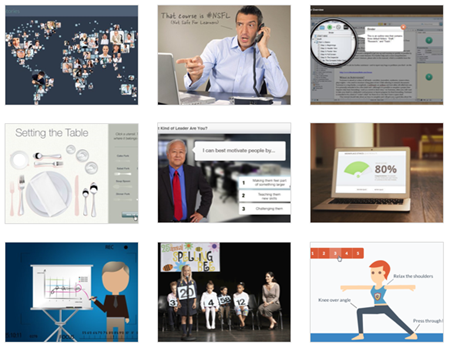
Lots of cool e-learning examples to check out and find inspiration.

Getting Started? This e-learning 101 series and the free e-books will help.


build e-learning skills

When I look back at my early work, I’m surprised I’ve lasted this long. A lot of the courses I built years ago just weren’t very good. But that’s okay. I may not have built good courses to start, but I did do some things in the early years to build my elearning skills that helped me grow and learn to build better courses over time.

Here are a few of the things I did and what you can do, too.

Build Your E-Learning Skills by Debriefing Your E-Learning Projects

Get in the habit of regularly reviewing your projects. I worked on a team once where every Friday we reviewed what we built or what we were working on. We discussed what was going well, what didn’t, and how we could make improvements. Then we made adjustments and the next projects were a little better.

Remember, if you try hard and don’t succeed, it’s a great learning experience. You’ve discovered one way to not do things. 🙂

Build Your E-Learning Skills by Showing Your Work

Show you work and ask for honest feedback. I get a lot of questions about how to get started. I usually recommend participating in the weekly elearning challenges so you have something to work on and show. This lets you built what you want and not be tied down by proprietary content at work. Then ask for feedback on how what you built could be improved.

The weekly challenges are great because no one wants to review a big course. Something small and pointed is apt to generate more feedback for you.

Build Your E-Learning Skills with an Idea Folder

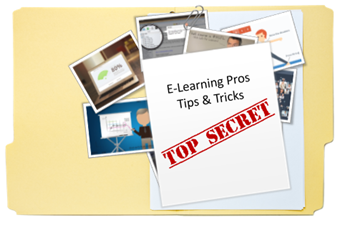
Keep an idea folder that you can review when starting new projects. I routinely look for multimedia examples. You can find a lot at news sites and graphic artist communities. I look for interesting interactions, animations, and visual design.

I also like to deconstruct some of the elearning examples I see and figure out how they did what they did and then noodle on how to build on it. Sometimes when I’m stuck I’ll look through the folder for inspiration.

Build Your E-Learning Skills with an Informal Learning Plan

Develop a personal informal learning process. Today there are all sorts of free resources to learn about course design and construction. The key is to create a way to collect and regularly review that information. Choose a tool like Pinterest, Diigo, or Evernote to collect and organize important content.

Stay engaged in what’s going on and what people are talking about. If possible, start a blog to document what you’re learning and reflect on what others think. In any case, don’t depend on the occasional conference or workshop. Instead, create your own plan and then act on it.

Build Your E-Learning Skills through Practice

Set some time aside to practice new ideas or techniques. Having a folder of inspirational ideas is great. But at some point you have to make some time to practice applying those ideas. You won’t get time to practice while working on a real course, so you need to find time in between.

As you do this, you’ll build the proficiency with your elearning software and you’ll get a sense of what works and what doesn’t. Then you can apply the ideas to your real projects later.

Build Your E-Learning Skills by Getting Connected

Get connected. When I started in the industry, getting connected meant going to ATD chapter meetings and subscribing to listservs. Today it’s so much easier with social media services like Twitter and LinkedIn. You can connect with all sorts of experts and learn from each other. I love those who are active participants in the Elearning Heroes Community. They share so many tips and tricks. And it’s been fun to see many of the careers of the community’s active participants take off the past few years.

There’s a lot more you can do to build your skills. The key is having a plan and then moving forward. What are some things you do to build your skills?

Events

Free E-Learning Resources

Want to learn more? Check out these articles and free resources in the community.

Here’s a great job board for e-learning, instructional design, and training jobs

Participate in the weekly e-learning challenges to sharpen your skills

Get your free PowerPoint templates and free graphics & stock images.

Lots of cool e-learning examples to check out and find inspiration.

Getting Started? This e-learning 101 series and the free e-books will help.


Articulate Rapid E-Learning Blog - share elearning courses

To share elearning courses via a learning management system or Articulate Online is common. However, sometimes getting access to an LMS isn’t easy, especially if you want to share elearning courses that are quick prototypes or demos to solicit opinions. You definitely don’t want to fill out requisitions and wait for your LMS administrator to send you a link.

There are also many of you who participate in the weekly elearning challenges and need an easy way to upload your demos. Below are a number of solutions that work if you need to share elearning courses. Here are the five options we’ll review:

  • Tempshare
  • Amazon S3
  • Custom Domain
  • Dropbox [UPDATE 9/5/2016: Dropbox is disabling this feature effective 10/3/2016]
  • Google Drive [UPDATE 9/1/2015: Google is deprecating this feature and it will no longer work after Aug 2016.]

Here’s a quick tip before we get started: most of the solutions give you long links with a lot of gibberish. They look confusing and may break when sharing via email. In that case, it makes sense to use a URL shortener to get a shorter link. Google offers a link shortener, bit.ly is a popular one (and you can customize the link), and if you use Cloudberry (referenced below) there’s a link shortening option when you grab the web URL.

Share E-Learning Courses via Articulate Tempshare

This free solution only works if you use Articulate Storyline or Studio ‘13. It’s an easy way to upload your course and quickly get a link to share. Tempshare provides a temporary link and it only lasts about 10 days so it’s not a permanent solution.

  • Publish your Articulate course.
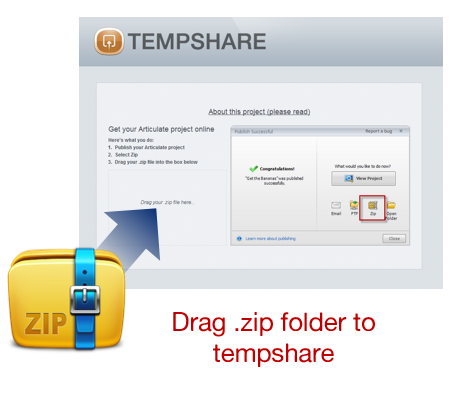
  • Create a .zip file of the published course.
  • Drag the .zip file to the Tempshare site. The course is uploaded and you’ll get a temporary URL good for a few days.

Articulate Rapid E-Learning Blog - share elearning courses using Articulate Tempshare

  • Share the link. Again the link isn’t permanent and it can’t be overwritten. If you make changes, you’ll need to repeat the process.

I like Tempshare for its simplicity especially because I don’t have to open up other apps and load the course on a different site or LMS and then mess around to get the link. It’s just a simple drag and drop and then paste the link.

Share E-Learning Courses with Amazon S3

Amazon S3 is a better solution than Dropbox and Google Drive because the files will play as intended. It’s the method I prefer and the one I use to host the content I share for this blog and in the elearning community.

Amazon S3 is a fee-based service but provides a free tier that consists of 5 GB of storage. That is probably more than enough for the courses you share. Even if you did pay, the storage is so inexpensive that I’d be surprised if you exceeded one dollar
per year.

What you need to do:

  • Check out this post for more detail: How to Share Course with Amazon S3.
  • Download and install Cloudberry Explorer (freeware). Drag and drop your files from the desktop folder to Cloudberry and they’ll get uploaded to your online folder. There are other applications that work, so if you don’t want Cloudberry do a search and find one you do prefer.
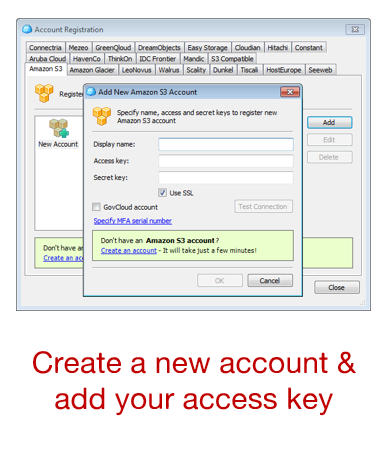
  • Create an Amazon S3 account. You need an account. Since it’s a fee-based service, you’ll need to provide real information so they can authenticate the account. You’ll also need to provide a credit card number. Again, you probably won’t exceed the free tier and if you do the charges are going to be miniscule.
  • Locate your access key. Amazon S3 provides an access key. You’ll find that under security credentials. You’ll need those to add your account to Cloudberry.

  • Connect your Amazon S3 to Cloudberry. Once connected you’ll be able to create folders and move your course files into them. It’s as simple as dragging them over.
  • Get your web URL. Once the files are uploaded to Amazon S3, right click on the .html file and get the web URL to share.
  • Shorten the link. You can shorten the link inside of Cloudberry or use your own preferred method.

Amazon S3 also lets you control viewing permissions and set expiration dates. It does take a few steps to get the account set up, but in the long term it’s a better solution than Google Drive and Dropbox, especially if they make changes to how files are shared.

Share E-Learning Courses on Your Own Domain

If you’re doing professional work or building a portfolio, then this is probably the best option because it’s a solution directly tied to your brand.

  • Get a domain name. The first step is to get your own domain. There are plenty of web services to do that and the cost is relatively low for a domain and hosting. A simple hosting plan may only cost $5-$10/month.
  • Create a site. You’ll need to create a site. WordPress is probably the easiest solution. Most of the service providers have WordPress and other tools already loaded so it won’t take much to get up and running. Be careful of site builder solutions since they typically don’t offer an easy way to upload and store your course files.
  • Load the courses on your site. I use FileZilla (freeware) which lets me easily upload and manage my content. You can still use Amazon S3 (like I do for the blog here) and add the URL to your website text.
  • Share your link. One of the benefits of using your own domain is that the link is always tied to your site and a great way to get people to look at what you do.

Share E-Learning Courses with Dropbox

[UPDATE 9/5/16 Dropbox is removing this feature effective 10/3/16.]

Dropbox is a great product and makes sharing files super easy. There are two ways to share your published courses for viewing in Dropbox.

Share Your Folder

This first method assumes the person you’re sharing with has a Dropbox account.

  • Put your course files in a folder and share the folder.
  • The end user gets the folder downloaded to their Dropbox account and can access the published folder from their computer. They just need to double click on the .html file to launch the course.

This is fine if the person has a Dropbox account. If they don’t have one, they can open an account. But that may not be an ideal solution or option for some.

Share a Public Link

This solution is similar to the Google Drive version because all you need to do is share a URL link. However it requires a “public” folder and only works for those who have a Dropbox account prior to October 4, 2012 or those who have a Pro account.

  • Place your published course folder in the Dropbox public folder.
  • Right click on the .html file and select copy the public link. This will give you a URL you can share.

  • Shorten the link as mentioned above for a cleaner link.

WARNING: For the most part Google Drive and Dropbox do a decent job of sharing published course files. However, they’re not designed to deliver elearning courses and often the load time is slow or you may have some issues with the content playing the way it should. That’s something to keep in mind because if this is for client work, you want to give the best experience possible and you may not get that with Google drive and Dropbox.

Share E-Learning Courses with Google Drive

[UPDATE: Read this before using Google Drive. Google is removing this feature.]

If you have Google Drive then you can upload and share elearning courses in no time at all. Mike does a great job explaining how to share your courses in Google Drive. The basic steps are:

  • Change the launch file in your published course to index.html. For example, in Storyline you get a story.html. I duplicate it and change the duplicate to index.html.
  • Create a folder in Google Drive and make it public.
  • Add your published course folder to the public Google Drive folder you created. The folder gives you a long list of characters. Copy those.
  • Add the copied characters to this URL http://googledrive.com/host/
  • Share the link for others to see.

There you have it—five four easy ways to share your elearning courses. Again, I think for the money and performance, the Amazon S3 option is probably best. What do you do to share your elearning courses (assuming you don’t upload to an LMS)?

Events

Free E-Learning Resources

Want to learn more? Check out these articles and free resources in the community.

Here’s a great job board for e-learning, instructional design, and training jobs

Participate in the weekly e-learning challenges to sharpen your skills

Get your free PowerPoint templates and free graphics & stock images.

Lots of cool e-learning examples to check out and find inspiration.

Getting Started? This e-learning 101 series and the free e-books will help.


Articulate Rapid E-Learning Blog - how to become an elearning pro

Now’s a good time to get started in the elearning industry. It’s still growing and doesn’t look like it’s going to slow down any time soon. Knowing how to get started with elearning is one of the most common questions I get. People usually want to know about schools and formal education as well as where to gain practical skills.

What skills do I need to be an elearning pro?

One of the challenges for today’s designers is that the authoring tools are easier to use and empower you to create all sorts of interactive content. That means you are doing more to create your courses which means you need well rounded skills.

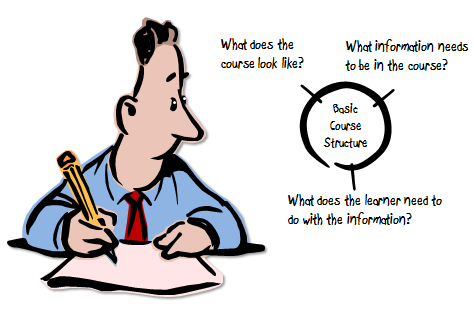
When I build elearning courses I try to answer three questions because they help guide how I’ll approach the course:

  • What content needs to be in the elearning course?
  • What will the elearning course look like?
  • What is the learner supposed to do?

Articulate Rapid E-Learning Blog - how to become an elearning pro by understanding three essentials

Based on these questions, here are a few skills that are critical for course design:

  • Understand performance consulting and how to get learning objectives appropriate to meeting the organization’s learning goals.
  • Know how to apply instructional design concepts to craft a good learning experience.
  • Able to apply a basic understanding of graphic design and visual communication to course design.
  • Since you need to build onscreen content and interactivity, learning more about user experience (UX) design is important.

Obviously, there’s more to course design than those skills, but that’s a good start. What would you add to the list?

Which schools will help me become an elearning pro?

In the past we’ve discussed whether or not you need an instructional design degree to be successful. There are pros and cons. However, if you do want to go to school, which ones are best?

You don’t need to go to a Master’s program to learn about elearning. Many schools offer very good certification programs. They take less time, cost less, and typically focus on practical application.

Personally, I’ve had friends go through the programs at San Diego State University and University of Washington. I’ve also been impressed with what people have been doing at UMBC, Boise State, and Bloomsburg.

Here’s a list someone in the community compiled of schools with different programs. If you attended a program at one of these schools or another, please share your thoughts and recommendations in the comments. Just so you know, I’m just looking for feedback from graduates to help blog readers; so I’ll delete spam links from schools.

I don’t have a lot of money. How can I become an elearning pro without going to school?

There are all sorts of open degree programs and MOOCs that help you learn more about things related to elearning and instructional design. MOOC List is a good resource. Here are a few classes that are relevant to course design. You can search for more.

Of course, that requires the same type of discipline you’d need in a more traditional learning environment. If you want something less formal, try these resources in the elearning community. They’re relatively short and can be reviewed at your own pace or when you want to learn at the point of need.

Articulate Rapid E-Learning Blog - how to become an elearning pro by reading these free ebooks

What about some book recommendations?

Here’s a list of book recommendations that cover a broad range of topics.

Articulate Rapid E-Learning Blog - how to become an elearning pro with these book recommendations

Here’s a question: Assuming you went to school to learn about instructional design, what are some of the books they had you read? Feel free to list them in the comments.

Apply what you learn to become an elearning pro.

Reading books and going to classes are both valuable activities. But the key is that you apply what you learn to real projects. That’s one of the reasons I like the weekly elearning challenges. They’re a great way to practice little things. And to see how others have approached the same projects.

Articulate Rapid E-Learning Blog - how to become an elearning pro by doing the weekly challenge

The one step missing in the challenge is soliciting feedback. That’s up to you. Submit a project and ask for specific feedback. Be forewarned. You have to have thick skin, ask for honest feedback, and be willing to hear it and apply what is being advised.

Here are other posts on becoming an elearning pro:

The elearning industry is hot and now’s a good time to get started. There are a lot of ways to move forward from formal education to informal practice and application. Ultimately you want to gain the skills so you can demonstrate your understanding of course design and ability to meet the organization’s needs.

Is there anything you’d like to add? Books? School experience? Feel free to add your thoughts to the comments section.

Events

Free E-Learning Resources

Want to learn more? Check out these articles and free resources in the community.

Here’s a great job board for e-learning, instructional design, and training jobs

Participate in the weekly e-learning challenges to sharpen your skills

Get your free PowerPoint templates and free graphics & stock images.

Lots of cool e-learning examples to check out and find inspiration.

Getting Started? This e-learning 101 series and the free e-books will help.


Articulate Rapid E-Learning Blog - secret to becoming an elearning pro

I get a lot of questions asking how to become an elearning pro. The obvious answer is to acquire some knowledge and then practice applying what you learned. Doing that gives you experience and with each experience you get feedback and learn to improve your craft.

The other question is how to actually do all of that.

I’m glad you asked. Today I’d like to feature some of the people I’ve gotten to know through the elearning community who are perfect examples of how to gain the type of experience and exposure to become an elearning pro.

What they do is practice their craft, build working examples, and then share what they learned or how they built their examples.

E-Learning Pros Practice Their Craft

As many of you know, each week we offer an elearning challenge. The goal is to carve out a little bit of time each week to practice something new. As I’ve mentioned before, you may get to build a lot of courses, but often it’s the same course over and over.

The elearning challenge is a way to try something different. You’ll learn some production techniques and get to see some cool ideas from others. All of those things can be used in future courses.

Here’s a list of ten recent challenges. As you can see they offer opportunities to do something a little different than you might do normally at work and they’re not big time commitments.

Articulate Rapid E-Learning Blog - examples of elearning courses and demos

E-Learning Pros Show Examples of Their Work

When I starting out I was always looking for examples of what others were doing. I wanted to see the really good stuff that won awards, but I also wanted to see what others like me were doing. This helped me get a sense of where my skills were.

The award winners are really slick, but they are usually created by elearning vendors who have access to resources that we usually don’t. Many of us don’t get big budgets or have graphic designers to help with our courses. While I enjoyed finding inspiration in the award winning work, I found a lot more comfort looking at good courses done by people who faced the same constraints I did. One thing I’ve learned is that people can be very creative when constrained.

Elearning pros show their work. It’s another reason why I like the weekly challenges because there are some neat ideas shared. Some of them are simple prototypes and some more complete. In either case, the other elearning developers willfully share what they do so that we can all learn from them.

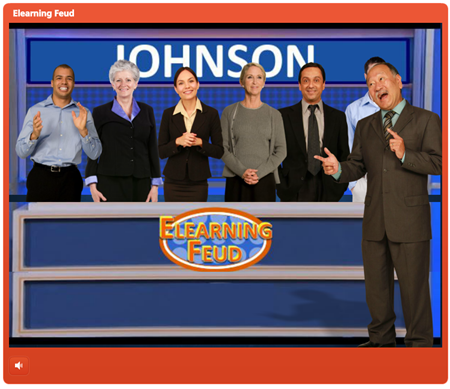
Dan Sweigert recently shared this funny prototype of a Family Feud style game and a blog post on how he created it. I loved the goofy voices (reminds me that humor can be a way to engage learners) and the demo made me think through how I’d disable previously selected characters and show the selected answers on the scoreboard.

Articulate Rapid E-Learning Blog - example of simple elearning game

Click here to view the elearning example.

Sharing files is also a great way to get feedback. Just the other day someone shared a tabs interaction template. He did a great job. But there were a few ways to cut down some of the production. But here’s the deal: we only know what we know. His approach was right. But sometimes there are more efficient ways to do things. But unless someone shows them, we may never know.

It kind of goes to my point from last week about becoming efficient in course development. Efficiency comes with practice and in this case it comes from sharing your work, having others learn from it, and receiving feedback.

E-Learning Pros Share What They Do & Learn

This is the part that I think is most important yet usually the piece often neglected. Elearning pros share what they’re learning and how they do what they do.

Sharing what they do opens the doors to those just getting started. Over the years the software has gotten a lot easier to use. But learning to use the software and building good courses requires some help. And often, the people who use the rapid authoring tools are also the ones who tend to get the least support at work. Thus anything they can get to help them is great.

Experts who share what they do also helps them cement their own learning. The more we explain how to do what we do the more we build our own skills. It also helps those who share build their reputations and expertise in the community. I am sure that there are many voices to affirm that notion.

I know my involvement with Articulate started with me sharing in the community. Cammy Bean has shared a lot about how she got started. Tim Slade’s another one who’s built his business and profile by sharing and helping others.

The point is that sharing is a great way to cement your expertise and build credibility in the industry. I’d also add that I’d rather see someone’s simple tabs interaction explained than read bl
og posts from industry experts on what’s wrong with elearning. The tabs interaction is going to help me get my work done.

There are a lot of people in the community who regularly share what they do, but here is a list of some that I’ve come to know and appreciate because not only do they share their examples and source files, but they also regularly write about how they did what they did. And that is pure elearning gold for those who want to learn more.

Jackie Van Nice

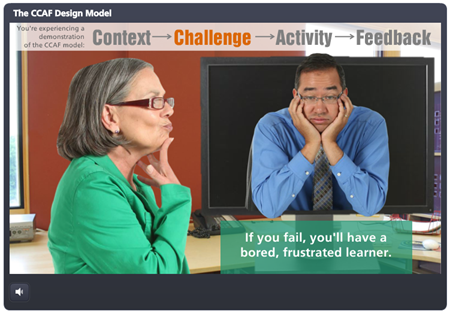
Blog post: Context-Challenge-Activity-Feedback model.

Articulate Rapid E-Learning Blog - example of elearning theory

Click here to view the elearning example.

Gemma Henderson

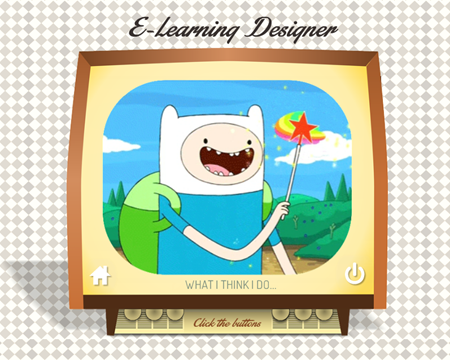
Blog post: What do elearning designer’s do?

Articulate Rapid E-Learning Blog - who to elearning designers do

Click here to view the elearning example.

Michael Hinze

Blog post: Interactive operation manual

Articulate Rapid E-Learning Blog - example of elearning course

Click here to view the elearning example.

Paul Alders

Blog post: Shares his interpretation of a tabs interaction

Articulate Rapid E-Learning Blog - elearning interaction

Click here to view the elearning example.

Ashley Chiasson

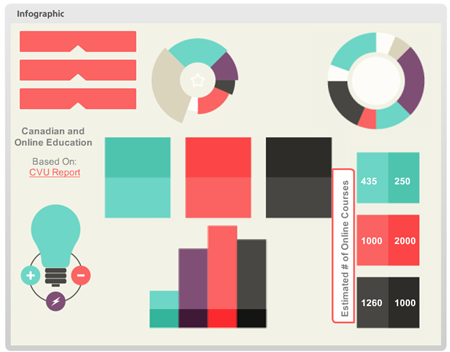
Blog post: Interactive information graphic

Articulate Rapid E-Learning Blog - elearning infographic

Click here to view the elearning example.

Allison Nederveld

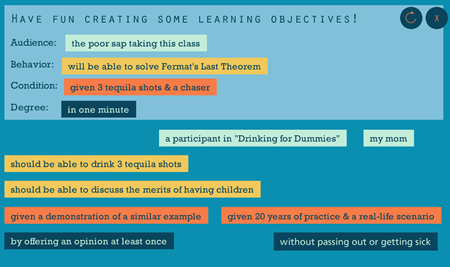
Blog post: Fun way to practice building learning objectives

Articulate Rapid E-Learning Blog - another elearning interaction

Click here to view the elearning example.

Ian McConnell

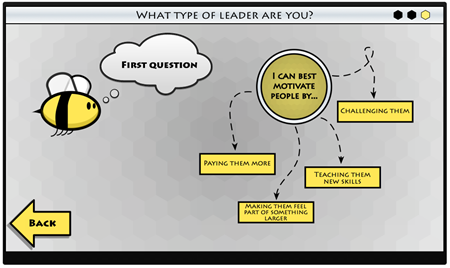
Blog post: Cool branched decision making interaction

Articulate Rapid E-Learning Blog - elearning interactive scenario

Click here to view the elearning example.

May need to hit CTRL + – to decrease the screen size.

Rachel Barnum

Blog: 10 Ways to Engage Learners

Click here to view the elearning example.


Nick Russell

Blog: Example of an interactive portfolio page

Articulate Rapid E-Learning Blog - elearning portfolio

Click here to view the elearning example.

Diane Hope

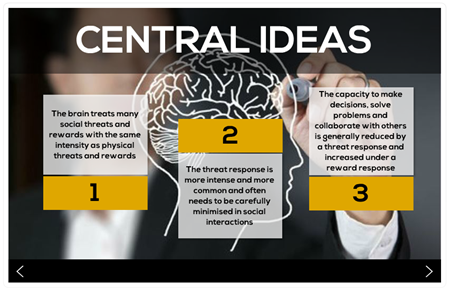
Blog post: Interactive explanation of the SCARF model

Articulate Rapid E-Learning Blog - elearning instructional design theory

Click here to view the elearning example.

Lucia Salters

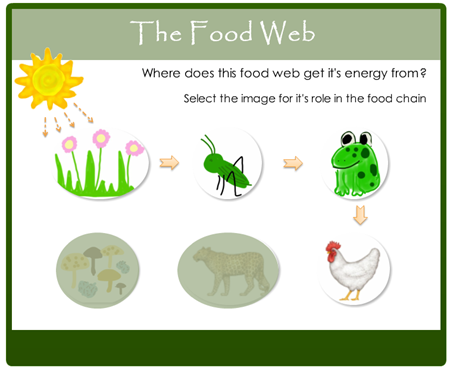
Blog post: Interactive explanation of the food web

Articulate Rapid E-Learning Blog - interactive elearning module

Click here to view the elearning example.

Honestly, I’m not sure why more people don’t do this. It’s a simple way to build your business and profile in the industry.

The other thing cool about this list of your peers is that it’s an international list. Some of the countries represented are Canada, South Africa, Netherlands, Germany, United Kingdom, and of course the United States.

So here’s the deal. You want to get better at elearning? Take the time to do little practice activities like the weekly challenges. Start a blog and then share what you’re learning. Don’t worry about everything being pro quality; that comes with time. The main point is that you’re doing something new, sharing, and getting feedback.

What have you done
to improve your skills and standing in the industry?

Events

Free E-Learning Resources

Want to learn more? Check out these articles and free resources in the community.

Here’s a great job board for e-learning, instructional design, and training jobs

Participate in the weekly e-learning challenges to sharpen your skills

Get your free PowerPoint templates and free graphics & stock images.

Lots of cool e-learning examples to check out and find inspiration.

Getting Started? This e-learning 101 series and the free e-books will help.


Articulate Rapid E-Learning Blog - do you need an instructional design degree

September is the start of a new school year. So it’s a good time to revisit the ongoing debate about whether or not you need an instructional design degree to build good elearning courses.

Here’s my take.

There’s a difference between teaching and informing.

Because we’re using e-learning applications like Storyline 360 or Rise 360 the assumption is that what we’re building is always e-learning or the objective is some sort of performance improvement.

Instructional design implies instruction. But much of what’s created with the e-learning applications is less about learning and more about sharing information. It’s really more interactive multimedia content than it is interactive instructional design.

Perhaps, the question should be, “Do you need a marketing degree?” since a lot of what is created falls more into that bucket than performance improvement.

Not all course builders are instructional designers.

In an ideal world, the person building the course is also involved in the design of it. But I’ve been in the industry long enough to know that’s often not the case. There are many course builders who have little say in the design of the course they build.

They’re hired to take content as it is designed by someone else and then build out the multimedia part of it. Having instructional design awareness is great and allows that person to offer constructive feedback, but if that’s not what the person is hired to do, then there’s a good chance the feedback goes nowhere.

Articulate Rapid E-Learning Blog - not all course designers are instructional designers

If you’re hired to build courses, but not involved in the strategic design of them, then it may make sense to focus on multimedia design skills over instructional design. From my experience, a course developer with really good graphic and interaction design skills usually trumps a good instructional designer with limited visual design skills and multimedia experience.

College degrees may not build the skills you need in the real world.

There are lots of resources online and informal learning communities to help you learn more about instructional design. It doesn’t require a degree.

I have a master’s in educational technology, a degree in corporate media production, and a degree in organizational management that focused a lot on performance and training. Despite all of that education, most of what I know about e-learning came from the work world.

Quite a bit of what was covered in my academic education was not very relevant to the work I was doing and offered little practical application. On top of that many of my professors had limited experience in non-academic training environments and were so politically charged about education and learning that it made a lot of the academic experience a bit uncomfortable and completely incoherent to my needs in the corporate environment.

Articulate Rapid E-Learning Blog - college degrees may not build the skills you need in the work world

Learning about instructional design doesn’t necessarily require a formal program as much as the desire to learn and then apply what you learn to your course design.

An instructional design degree can help you get a job.

E-learning is hot and a great industry to be in. That hasn’t always been the case for training. In fact, when times are tough, it’s usually the training team that gets the boot. But for right now, e-learning is a growing industry with lots of opportunities.

I took a quick peek at 20 job listings, here’s what I found. All but one required at least a bachelor’s degree. Most preferred a Master’s. And many required a Master’s.

Is that fair? Probably not.

If I was the hiring manager I’d prefer looking at your portfolio and talking to you about how you design courses. However, in many cases the hiring manager isn’t involved in the initial screening of the job applicant. That’s done by an HR assistant who is using the minimum requirements to weed out applicants.

So you may be the most skilled instructional designer, but without a degree you probably won’t make it past the first round.

An instructional design degree can challenge your thinking.

Here’s where I find the most value in pursuing an instructional design degree. It forces you to look at and do things in a different way. It also helps build relationships and a network of peers that has lifelong value.

We tend to get stuck doing the same things the same way. In fact, many of you may have the experience of building courses, but you’ve basically built the same course a hundred times rather than a hundred different courses.

Articulate Rapid E-Learning Blog - college degrees promote thinking in a different way

In a degree program, you get experiences and opportunities that may not exist at work where you have to operate at the speed of business. You learn new things and hopefully get to apply them to projects to see how they work.

You also get to interact with people who are in different fields, with different organizations, and who many not think the way you do. Being challenged in this way is good.

From a purely pragmatic perspective, you don’t need an instructional design degree to build e-learning courses. But a formal education does provide a map towards success. Most of us aren’t disciplined enough to map out the same things and experiences we’d acquire in school.

But Tom, do I need an instructional design degree to build e-learning courses?

I’m going to say “No, you don’t need a degree.”

I’ve talked to plenty of people who told me what they learned in school wasn’t relevant to what they have to do at work. And with the resources available to you, there’s no reason why you need to pay a ton of money to get a piece of paper to confirm the skills you already have.

Articulate Rapid E-learning Blog - do I need an instructional design degree to build elearning courses?

But you do need to know how to build good instruction and that means if you don’t learn it via a formal degree program you’ll need to learn it elsewhere.

My advice is to keep reading about course design and practice building instructionally sound modules. Build good examples to add to your portfolio and stay connected to the e-learning community. That practical experience coupled with knowing someone can help you get past the HR filter when openings arise.

And if you can afford it, go to school because you’re at a competitive disadvantage when looking for work.

What do you think?

Do you need an instructional design degree? For those of you who don’t have a degree, what advice do you have for someone who wants to learn more?

And if you do have a degree, did it help you build good e-learning courses? Is it something you’d recommend to others?

I look forward to your comments.

Events

Free E-Learning Resources

Want to learn more? Check out these articles and free resources in the community.

Here’s a great job board for e-learning, instructional design, and training jobs

Participate in the weekly e-learning challenges to sharpen your skills

Get your free PowerPoint templates and free graphics & stock images.

Lots of cool e-learning examples to check out and find inspiration.

Getting Started? This e-learning 101 series and the free e-books will help.


Articulate Rapid E-Learning Blog - hundreds of free PowerPoint tips and tricks

I’ve been doing this PowerPoint stuff for so long that I often think the tips I share are common knowledge and everyone knows them. But every time I do a workshop, I’m reminded that what may be old to me is often new to others.

Over the years I’ve shared all sorts of PowerPoint tips and tricks. But with the blog approaching 100,000 subscribers that means there’s a lot of people who probably didn’t see many of the previous PowerPoint posts.

So in today’s post, I’ve included a list with every single PowerPoint tip shared in the blog up to this point. They include tips on creating custom graphics, assembly of interactive elearning, and getting more out PowerPoint’s features.

If you’re looking for a good resource on PowerPoint tips, this is a post worth bookmarking.

Tips on Creating Rapid E-Learning Courses in PowerPoint

Building an elearning course with PowerPoint is not the same as building a presentation. Many of the production techniques are different. This list of posts offers some good tips on building your rapid elearning courses in PowerPoint.

Articulate Rapid E-Learning Blog - PowerPoint and rapid elearning rocks, especially with Articulate Studio

Use PowerPoint for Graphic & Visual Design

PowerPoint is a versatile application that lets you build your own graphics and illustrations. This list of posts walks through all sorts of graphic design and illustration tips.

Articulate Rapid E-Learning Blog - a bunch of tutorials on creating graphics in PowerPoint

Get More Out of PowerPoint Using These Tips

Most of us probably use a small fraction of PowerPoint’s features. However, it is a very capable application. And onc
e you understand what you can do with it, it’s like having a brand new tool. The following posts dig through various PowerPoint features so that you can build rapid elearning courses and get more out of PowerPoint’s capabilities.

Articulate Rapid E-Learning Blog - free tutorials that show how to get more out of PowerPoint's features

Never-ending PowerPoint Tips

The elearning community is active in sharing tips and tricks. Many in the community create how-to tutorials in Screenr. We try to capture all of the PowerPoint tutorials we find in the community.

This link is updated every time we bookmark a new PowerPoint tutorial.

So there you have it, a career’s worth of PowerPoint tips and tricks. Of all of the PowerPoint tips I’ve shared, which is your favorite or is the most eye-opening? I’d love to know. Share it via the comments link.

Events

Free E-Learning Resources

Want to learn more? Check out these articles and free resources in the community.

Here’s a great job board for e-learning, instructional design, and training jobs

Participate in the weekly e-learning challenges to sharpen your skills

Get your free PowerPoint templates and free graphics & stock images.

Lots of cool e-learning examples to check out and find inspiration.

Getting Started? This e-learning 101 series and the free e-books will help.


One of the most common complaints I hear from elearning developers is that they have to build the same types of courses over and over again. And often they’re given little latitude in how the courses are designed.

This can be stifling and in many ways retard your growth as an elearning developer. You may get to work on a hundred projects, but they’re basically the same project built a hundred times. This means you get little opportunity to expand your skills and do something different. And then later when you go to look for a different job, you won’t have much interesting to show prospective employers.

A great way to grow your skills and add to your portfolio is by volunteering to build courses. You get to work on new content and meet some great people. You also get to help others less fortunate.

How to Volunteer

LINGOs is a consortium of NGO organizations that shares learning resources and experiences. Each year they run a Global Giveback campaign where they connect elearning developers to humanitarian organizations.

In a previous post I discussed the Global Giveback program and how it can be a win-win for you and the organization you support.

This year the Global Giveback’s focus is to build a library of courses, Last Mile Learning, that teaches topics related to People Management, Team Management, Strategic Management and Project Management. This library of courses is free of charge and available to anyone working to reduce poverty and alleviate suffering in the developing world.

How Can You Help?

Volunteer to offer your expertise to Last Mile Learning. The LINGOs organizations and volunteers will form a team that will develop content in four formats:

  • Self-led elearning
  • Face-to-face curricula
  • Online synchronous curricula
  • Blended learning curricula

As you can see the teams will develop content that runs from classroom to elearning. So there’s plenty of opportunity to apply your skills and expertise.

What’s in it For You?

Your help extends the resources of the NGO organizations so they don’t need to spend more money on training. This means that communities could excavate more wells, protect more sensitive areas, feed more malnourished children, introduce more agricultural innovations and implement more life-saving health programs – without additional resources!

There’s great satisfaction in knowing that the skills you have can be a blessing to others all over the world. And the projects will help you develop skills that may round out your elearning and training experience.

You’ll also be able to add a new project to your portfolio and you’ll get to network with others in our industry. It’s those relationships that could prove valuable somewhere down the road.

Other relevant posts:

Who Should Volunteer?

Bored with what you’re currently doing? You’d make a great volunteer. Freelancer trying to build a great showcase and connect with others? You’d make a great volunteer. Teach instructional design students and tired of assigning projects that have a 2 week shelf life? You and your students would make great volunteers.

Basically, if you’re in the learning and development industry then you’d make a great volunteer. To volunteer check out this information.

If you’re looking to help others or get some more experience to flesh out your work portfolio, then building a LINGOs course is just the ticket.

Events

Free E-Learning Resources

Want to learn more? Check out these articles and free resources in the community.

Here’s a great job board for e-learning, instructional design, and training jobs

Participate in the weekly e-learning challenges to sharpen your skills

Get your free PowerPoint templates and free graphics & stock images.

Lots of cool e-learning examples to check out and find inspiration.

Getting Started? This e-learning 101 series and the free e-books will help.


The Rapid E-Learning Blog - how to get an elearning job

I’ve been on the road quite a bit this year.  One of the most frequent questions I get is how to find an e-learning job.  While the rest of the economy seems to be stuck in mud, this seems to be a good time to consider a career in e-learning.  It’s still a relatively new industry and technology is making it easier than ever to get a foothold.

In a previous post I talked a bit on how to prepare for opportunities by getting experience and maintaining a portfolio.

In this post, I’d like to expand that a bit.  I’d also like to mention that these tips work if you’re looking for a new job or if you’re trying to position yourself in your current organization.

You’re competing against others for the same position.

This is true if your opportunities exist inside or outside your organization.  Some people don’t like the notion of competition, but it’s real.  Usually, the person with the most experience and best qualifications gets the job.  While you can’t control the qualifications of others, you can control yours.

You’re not entitled to opportunity; you make it happen.  That means that it’s up to you to get the experience and qualifications you need.  Find out what you need to know and then proactively go out and get the experience so that you can compete for the job you want.

Get experience to build diverse skills.

Years ago, when I realized I wanted to be in the training industry, I did an assessment of my skills and figured out where I was lacking.  Then I looked for ways to build the skills I didn’t have.

The Rapid E-Learning Blog - compare your skills to those wanted in job descriptions

Look over job postings that interest you.  Or talk to people in your organization about what you want to do and find out how you can get there.  Make a three-column document.  In one column list the job description and requirements.  In the other, write a sentence that describes your experience.  In the third, document proof of this.

If you don’t have the experience or proof to back it up, go out and get it.  I’d also add that you want diverse experience to show different skills.  There’s a difference between software training using screencasts and soft skills training that may be built around interactive scenarios.

Maintain a portfolio of your skills.

You don’t need a formal portfolio that’s always visible, but you should have a portfolio that documents the work you’ve done and the skills you have.  For some of you, the work you do is confidential.  In those cases, pull out key parts of the course that show off different skills and then remove all content that is proprietary.  Replace it with generic content.

If you can’t show the actual product, do a simple screen grab, and then document what you did.  I like a simple three-pronged approach:

  • Project goals: what was the project about and what did it hope to accomplish
  • What I did: explain what YOU did and why you did it
  • The results: compare goals to results

No one wants to sit through a two-hour demo course and they don’t want to read a ten-page dissertation.  Keep it short, simple, and focused.

Practice, practice, practice.

Unfortunately, many organizations might have you build one hundred courses, but they’ll all be the same course built a hundred times.  In those cases, you don’t get to expand your skills.  You’d be better off building ten courses that are different than a hundred that are all the same.

In those cases, it’s up to you to practice.  Review other e-learning courses or multimedia.  Then try to implement some ideas in little practice modules.  You don’t need to build big courses, just mini modules.  Clean them up a bit and they’ll make a great addition to your portfolio.  Plus, they’ll give you skills to help make those hundred courses a bit different each time.

Connect with people in the industry.

There’s lots of power in the e-learning community of practice.  Most people loiter and lurk.  They collect information but they don’t really connect with others.  That’s fine.  No one expects you to sit on the couch, eating bonbons and surfing the community.

Only a handful in the community is actively engaged.  Engaging in the community is a great way to meet people who can help you build skills.  You can ask questions of experts and share what you’re doing.  Odds are that as positions open, you’ll have an inside advantage (especially if you’ve shared things from your portfolio).

I became an MVP in the Articulate community because I was there helping people.  As an MVP I got all sorts of opportunities for freelance work.  Eventually my role as an MVP created the opportunity to join Articulate full time to do what I’m doing now.

You don’t want to game the system and just pester people about opportunities.  But if you’re inclined to be involved and connected with others then odds are that you’ll develop your skills and find some opportunities.

Become an expert.

You don’t need to be a grizzled veteran of e-learning to be an expert.  In this world of social media expertise is transient.  I’d rather have someone with 5 years of experience share ten practical tips that I can use, than have to read some e-learning expert’s book who shares information I’m not sure how to apply.

Today it’s easier than ever to build your expertise.  Here are a few ways to do so:

  • Help others.  Go to the e-learning community and make it your goal to answer three questions every day.  It’s not a major time commitment.  By the end of the year, you’ll have close to eight hundred posts.  In no time at all, you’ll be seen as an authority and expert.  You may even become an MVP.
  • Document what you’re learning.  Start a blog and use it to show what you’re learning.  Combine that with your portfolio.  Build a simple module and then explain what you did and some of the decisions you made.
  • Create some simple tutorials.  Do some screencast tutorials and show some production techniques.  You may not have years of experience, but your five-minute tutorial is helping somebody with less experience and that makes you an expert to them.

Anything you can do to help others is going to help you improve your skills and build a network of peers.  In addition, all that goodwill will come in handy when you start looking for opportunities.

Be a volunteer or intern.

A wonderful way to gain experience is by volunteering to build some e-learning courses.  There are usually opportunities in your community with NGOs, churches, or other groups where you can practice your skills and help them with their training needs.

Here’s a bonus tip.  A while back I tried to recruit some multimedia interns from a local technical college to help with the community.  None of them saw the value of working with the community and helping build demos.  The funny thing is that eventually I ended up hiring two full time community managers.  That could have been them if they weren’t so short-sighted.

The point is that you never know what opportunities exist.  Don’t be short-sighted.

Get educated and keep learning.

There’s some debate about the value of advanced degrees for e-learning.  Without considering a specific degree, there’s value in an ongoing education.  If you’re not in a formal program, at least continue your learning by following bloggers in the industry and reading books.

With that said when you do look for work, educational background is still one of those filters used by employers.  The person with a degree is usually in a better position than the one without.  So, make that investment if you can.  If not, build a portfolio of really solid skills.

There’s a lot of opportunity in the e-learning industry.  Hopefully, these tips will help you out if you’re trying to break in.  They also work without leaving your current organization.  I know plenty of people who took upon themselves to build some simple training at their business and ended up becoming the training team.

If you’ve been building courses for a while, what tips would you offer to the person who wants to get into the e-learning industry?

Events

Free E-Learning Resources

Want to learn more? Check out these articles and free resources in the community.

Here’s a great job board for e-learning, instructional design, and training jobs

Participate in the weekly e-learning challenges to sharpen your skills

Get your free PowerPoint templates and free graphics & stock images.

Lots of cool e-learning examples to check out and find inspiration.

Getting Started? This e-learning 101 series and the free e-books will help.


The Rapid E-Learning Blog - do you need an instructional design degree

Just finished back-to-back conferences in San Jose and San Diego.  As always, it’s fun getting to meet the blog readers and Articulate customers.  Many of them are working with limited resources and it’s interesting to see how they approach their work.  I also get lots of good questions.

One of the most frequent questions asked is whether or not they need instructional design degrees.  I get this question quite a bit and it seems I’m getting it more frequently.

If I hire someone, I put less emphasis on the formal education they have and focus more on their tangible skills.  I’m interested in seeing a portfolio of work that represents their technical skills as well as their instructional design skills.  I don’t care if they acquired the skills in a formal or informal setting. I’m just concerned with them having the skills.

However, I do appreciate what it takes to get a degree in instructional design and know that what’s learned is valuable and can only enhance a person’s base of knowledge.  Because of this, I usually tell people “No, they don’t,” and “Yes, they do.”

You DON’T Need an Instructional Design Degree

You don’t need a formal degree to learn the skills required to build good elearning courses.  There are many books and resources available that will provide the same information you’d get in any formal program.  Combine that with the easy authoring tools and rich informal learning networks available today and you’re all set. Besides many people with degrees tell me they didn’t learn how to apply what they learned in their programs.

If you do want to forego a formal education, here are a few tips to help you get started:

  • Read books and apply what you learn to your projects. If you can’t apply them to real projects, create little mini modules where you practice different techniques.  Add them to your portfolio with an explanation of what you did and why.
  • Connect with others so you’re always exposed to new ideas and challenged in your thinking.  One of the great things about social media is the access you have to all sorts of expertise.  Be prepared to connect in a genuine way.  People will tune you out if all you do is take.
  • Develop a portfolio that demonstrates your understanding of instructional design.  I also recommend combining your portfolio with a blog.  The portfolio could be the formal environment to display your work.  Whereas the blog is like the sandbox where you can flesh out ideas.

The key to success if you go this route is to continually practice your craft.  It’s not easy staying on top of your learning.  I recommend looking over the descriptions of some instructional design programs and then mapping out a plan of your own.  Expose yourself to the same books and topics and just do them at your own pace.

You DO Need an Instructional Design Degree

The reality is that many employers require an advance instructional design degree.  If all things are equal, the person with the degree will probably always be considered first.

Whether you like it or not, you’re competing in the marketplace with other qualified instructional designers.  So you want to make sure that your skills and qualifications are equitable.  That means if you don’t have a degree you might never be considered for different jobs.

The Rapid E-Learning Blog - you do need an instructional design degree

Keep in mind, that many applications aren’t screened by the hiring managers.  There’s usually some HR assistant who quickly skims resumes and the one who doesn’t meet the minimum requirements goes to the bottom of the pile.

That’s the pragmatic reason for getting a degree.  Here are some other reasons:

  • Broaden your horizon.  You’ll be exposed to resources you may never ever consider or bother reading.  It’s easy to say that you can read the book on your own, but HAVING to read and think through a book is completely different.  The degree programs will force you to think, write, and apply what you’re learning.
  • Challenge your thinking.  You’ll connect with others who probably don’t think like you (and they may even be people you don’t like).  You may not agree with others but wrestling with their ideas and debating different instructional concepts will help solidify what you know and give you a broader perspective on things.  Besides, you may meet some lifelong friends through the program.  Either way, it’s important to test what you think you know.
  • Do new things.  You can be an elearning developer with ten year’s experience who basically does the same type of course over and over again.  Or you can be an elearning developer with three years, who’s worked on 10 diverse projects.  Which one has the deeper understanding?  In a formal program you’ll get to work on diverse projects and you never know where they’ll take you.  One of the reasons for my employment with Articulate is because I was working on a communities of practice research project.  That forced me to be more intentional about my involvement with the Articulate community, and eventually led to my job.

Getting Started.

If you are asking this question about instructional design degrees here’s what I‘d do:

The Rapid E-Learning Blog - comparing desirable skills to current skill set

  • Look at current job listings.  Go to industry job boards or sites like monster.com and look for instructional design positions.  What are they looking for?
  • Make a line item list of skills and qualifications.  Next to each item, add details based on your current skills and experience.  Compare what’s desired and how well you meet those needs.  You’ll see where you have skills and where you have gaps.
  • Make a plan to fill the gaps.  This can be a formal approach like an instructional design program or something informal.  Either way determines what you need to learn and work towards learning it.
  • Connect with others.  Jump into an elearning user community and ask what others have done.  Find out what they’re reading.  Ask questions and exchange ideas.  Whether you choose a formal education or not, much of your future success depends on your network.

There are a lot more reasons why you may or may not need a formal instructional design degree.  Whatever you do, you have to continue to push your development to stay competitive and to continue building effective elearning courses.

I’d love to hear your thoughts.  Feel free to share them in the comments section.  If you do an instructional design degree or certificate, tell us where you went and what you see as the most valuable reason to do what you did.

Events

Free E-Learning Resources
Want to learn more? Check out these articles and free resources in the community.

Here’s a great job board for e-learning, instructional design, and training jobs

Participate in the weekly e-learning challenges to sharpen your skills

Get your free PowerPoint templates and free graphics & stock images.

Lots of cool e-learning examples to check out and find inspiration.

Getting Started? This e-learning 101 series and the free e-books will help.


The Rapid E-Learning Blog - the rapid elearning story defined

Here’s what I find typical of people who do rapid elearning.  Their organization needs to take existing content (usually a bunch of PowerPoint files) and get it online as soon as possible.  So they buy an authoring tool and quickly convert the content.

Once it’s online, they realize that many of the courses look like PowerPoint slides.  So they start focusing on how to make the screens look better.  Voila!  In no time at all, they’ve got great looking courses.

The more courses they create, the more they realize they need to craft better learning experiences.  So the focus shifts towards creating interactive and engaging courses for the learners.

I call this the rapid elearning story because it’s a story many people relate to.  It’s also a great framework for learning to build courses.  I shared more detail in the post on building a roadmap to better rapid elearning.

Here’s a brief summary:

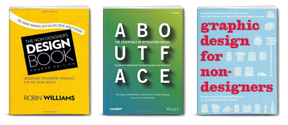
  • Focus on the basics like organizing the content and some simple graphic design concepts you find in books like the Non-Designer’s Design Book.  Couple this with learning how to use the software.
  • Once you feel comfortable using the software, shift to creating the right type of look for your course.  This isn’t about eye-candy.  It’s a combination of aesthetic, context, and visual communication.
  • As you develop expertise building courses and get things to look the way you want, focus on what makes the course most meaningful.  And that’s crafting a good learning experience.

Of course these steps aren’t necessarily linear or exclusive of each other.  It’s just a simple way to look at the evolution of building a course.

Beyond Getting Started

Most people I talk to are one or two person teams.  They tend to work by themselves and have to be project manager, instructional designer, graphic designer, multimedia developer, and IT technician.  That’s a lot to cover and there aren’t many places to get help, especially when you’re by yourself.

So here are a few things to consider about what it takes to get your rapid elearning production off the ground.  I like to keep things simple, so I broke it into three groups: authoring, assets, and instructional design.

The Rapid E-Learning Blog - big picture rapid elearning

Rapid Authoring

There’s not a right or wrong tool set.  They all have different features; so you want the tools that work best for your needs.  The mistake a lot of people make when looking for elearning software is to create a list of features which they use to compare the tools.

While comparing similar features is fine, the problem is that each feature is given equal weight on the checklist.  However some features have more value than others and even similar features may present a different workflow that could determine how long it takes to build a course.  A simple checklist won’t reflect those things.

When shopping for tools I recommend that instead of looking at a list of features, you build the same mini module with each tool.  Then you can test three things:

  • Software:  Using the same basic module for each application allows you to do a better “apples-to-apples” comparison.  You’ll get a sense of how the applications work and what type of workflow exists.
  • Support: Since the software is new to you and you won’t be completely familiar with it, you’ll have many questions and may need some help.  This is a great time to test the customer support.  Buying software is one thing; getting support after you buy, is another.  You may save money on the software purchase and end up spending a lot more down the road trying to get help.
  • Community: Software vendors make software, but real users will come up with the workarounds and best practices.  That’s why you want to connect with the user community.  It’s like having an elearning team in your cubicle.  Check to see how active the software’s user community is.  Post some questions and see how long it takes to get answers.  An active user community is critical to your success.

Here are a couple of posts I did that explains a bit more about rapid elearning and the strategic approach I’ve taken at other organizations.

The Rapid E-Learning Blog - develop an elearning strategy

While there are a lot of choices out there, there is no right or wrong solution.  The applications are just tools to help you do your job.  You need to know which one is best for you considering your budget, time, and resources.

Rapid Assets

Rapid elearning is attractive because you can create effective elearning courses with little or no programming required.  That’s great for the programming part of the course.  But what about everything else?  Who’s going to design the look and feel?  Where will you get your graphics and any of the other assets you need for the course?

In the same way, rapid authoring helps you not be a programmer, rapid assets is about acquiring the multimedia assets you need without being a multimedia developer or graphics artist.

Here are a few resources and ideas to help you with the assets:

  • Microsoft Office Online.  If you’re a licensed user of the Microsoft products you have free access to the many templates and media assets they make available.  This is a good place to start especially since they’ve recently updated the site.
  • Stock Image Sites.  There are a dozens of stock image sites where you can buy low cost images.  For elearning courses, you don’t need to buy the high resolution images.  I usually buy the $1-$3 versions and they work fine.  I covered this in more detail in a previous post.
  • Free Assets.  There are many sites that give away open source content or images under creative commons licenses.  I’m sure others will post links to the sites they use.  The key is to understand the agreements so that you can make sure that free use is really free use, especially for commercial products.
  • Interactive Web Sites: Today you can find all sorts of free content creation tools online.  They’ll provide an embed code that you can place in your courses.  I like to paste the code into an HTML page and insert via the web object feature.  That means I ca
    n leverage the multimedia assets from the other service.  Here’s a cool example where the Qwiki site is inserted into an elearning module.
  • Connect with the Community.  A great resource for free content is by connecting with your user community.  I can’t speak for other communities, but I can tell you that the Articulate user community is quite generous.  There are many who freely share what they’ve created with others.  For example, James Kingsely, one of the Articulate MVPs, does a lot of custom programming and hacks.  Many times he gives away what he does (or sells them at a very reasonable price).  And he’s not the only one.  So take advantage of your user community.
  • Create Your Own.  You can modify the clip art images or take your own photos.  If you have advanced skills you can use illustrator or even PowerPoint to create your own media assets.  If you do have some skills, consider sharing with others in the community.  They’ll appreciate it.

These are a few resources to get you started.  Here are some previous posts that may help, as well.  I’m sure that others will chime in with links to some really good free resources.  Be sure to check out the comments.

Rapid Instructional Design

Building courses is becoming easier.  And finding the right assets to build them is becoming easier.  However, these by themselves don’t build effective elearning.  You still need to apply some sort of instructional design.  And that’s not always easy.

The challenge for many tasked with building elearning courses is that they don’t have the formal instructional design background.  So what are they to do?

The Rapid E-Learning Blog - rapid instructional design models help you build good courses quickly

A while back I watched this video about deploying inflatable concrete shelters.  What struck me is that the person who set the structure up didn’t need to be an engineer.  Basically, all he needed was a way to move, inflate, and hydrate it.  An engineer designed the structure for rapid deployment.  But someone else actually deployed it.

The Rapid E-Learning Blog - example of an inflatable concrete structure

Seems we could do the same for instructional design.  Build a few instructional design models that people can use to build their courses.  Treat them like modular pieces that can be moved around and assembled.  They won’t build flight simulator training with these models, but they’ll be able to build decent elearning courses that will be more than click-and-read.

To test it out, I’ve been working on a few ideas.  And they work.  In fact, when David Anderson and I volunteered to build the Christian Aid course for LINGOs we wanted to test a couple of the models: the Gilligan and the RSI.

They allowed us to quickly determine the course structure and then assemble the content.  The course itself is simple, but using the rapid instruction model is one of the reasons we were able to build the course in just a few days.

The Rapid E-Learning Blog - combining two rapid instructional desing models to quickly build an elearning course

I’ll cover some of these models in upcoming blog posts, but the main point is that there’s no reason why you need to be a trained instructional designer to use a pre-determined ID model to help you build your elearning courses.  This is especially true for those just getting started.  As you gain experience building elearning courses, you’ll get time to learn more about instructional design and apply what you learn.

It’s a lot easier to deliver an elearning course today than it was a few years ago.  But it also puts a lot more pressure on individuals to do more with less.  If you pick the right tools, get access to some low cost assets, and predetermine some of your course structure, you’ll be on your way to success.

Events

Free E-Learning Resources
Want to learn more? Check out these articles and free resources in the community.

Here’s a great job board for e-learning, instructional design, and training jobs

Participate in the weekly e-learning challenges to sharpen your skills

Get your free PowerPoint templates and free graphics & stock images.

Lots of cool e-learning examples to check out and find inspiration.

Getting Started? This e-learning 101 series and the free e-books will help.


The Rapid E-Learning Blog

I’m intrigued by some of the reality television shows.  I don’t care much for the trashy ones, but the ones where there are skilled people competing are interesting.  I usually catch snippets of Project Runway or Top Chef since those are two of my wife’s favorites.

As can be expected, these shows typically have colorful characters that produce the drama.  And some of the people can be arrogant and ruthless.  The other day my kids were watching a cooking competition.  I used the show as a teaching moment.  We talked a bit about humility and being kind to others.

Not only are there teaching moments for the kids, there’s really a lot that can be applied to elearning.  So here are five things that we can learn from reality television.

There’s never just one way to do something.

In many of the shows, the contestants are all given the same task and same materials.  Then they’re asked to put their personal stamp on it.  It’s interesting to see the different perspectives and creativity.

What strikes me is that even though they all start at the same place, how they approach the challenge is usually different and unique.

The Rapid E-Learning Blog - different approach to the same content

Key points:

  • There’s more than one way to approach the course design.  Don’t spend all your time trying to find the “right” approach.  Besides, those who end up taking the course aren’t privy to the alternatives, anyway.
  • Try to brainstorm and get feedback from others.  Everyone has a unique perspective and something to add.  On top of that, others see things we don’t.  Most likely your project designs will be more diverse and better constructed if you can bring in an extra set of eyes.

Grow thick skin and learn to take criticism.

Most reality shows have some sort of judging component where a panel of experts critiques the contestants’ work.  That part of the show is usually the most entertaining, especially if you have a judge like Simon Cowell.

The Rapid E-Learning Blog - there's always going to be a critic

It never fails that as soon as a judge offers some criticism, one of the contestants will get defensive and offer a long-winded explanation of what they were trying to do.  You know what?  In most cases, no one really cares.  Take the feedback, make the changes, and move on.

It’s natural to get defensive when their hard work is being torn apart.  However, in most cases the judges are right on and offer the type of criticism that is fair and will only help the people get better.

Key points:

  • Your job is to please the client.  Listen to what they say.  Avoid being defensive, even if you don’t agree.  Humility goes a long way. Not only will you satisfy the client, you’ll also build a stronger relationship.
  • Just to be sure, ask clarifying questions so that you find out exactly what it is they didn’t like and what recommendations they have to make it better.  That’s different than being defensive.

Learn to give constructive feedback.

My kids were watching the Next Food Network Star.  The goal of the show is to not just be a good cook, but to be a good cook who connects with people on TV.  Some of them didn’t meet that goal.

What impressed me was the feedback given by Bob Tuschman, the VP of Programming.  While he might have come off a bit insensitive because of his matter-of-fact manner, he got straight to the point and made sure that his critique was centered on meeting the ultimate objectives.

The Rapid E-Learning Blog - learn to give constructive feedback

Because we’re so sensitive to not offend, it can seem harsh to give any type of corrective feedback.  Some people take any criticism as a personal assault.  However, in our industry it’s important to be able to give good, constructive feedback.

Key points:

  • Understand your goals and give feedback targeted to meeting them.  Don’t focus on the person; instead focus on the objectives and whether or not they were met.  And why.
  • Provide direction in your feedback.  It’s not enough to point out that something’s good or bad.  Be specific and focus on the desired action and result.  For example, “The course seems slow,” doesn’t say much.  What does “slow” mean?  Something like this could be better.  “Most screens had over 30 seconds of audio narration and there wasn’t much happening on the screen.  Perhaps we need to trim the audio and change up the screen content a bit more.”

Design for others.

Most of the people who make it to the television competitions already have some sort of creative talent.  Otherwise they wouldn’t be on the show.  The challenge for them is to focus on how others can benefit from their skills and less on how they’re a gift to humanity.

This is really evident in a show like Project Runway.  Often the fashion designers flounder because they place so much emphasis on their creativity that they lose sight of the objective to please someone else.  The ultimate goal is to marry their creative skills with a marketable product.

Key points:

  • Your success hinges on the success of others.  Focus on the customer’s needs and deliver a course that helps them succeed.
  • When it comes to elearning, the more learner-centric your course is the more likely it is that you’ll succeed.

Be flexible and willing to learn.

There’s usually some contestant who struggl
es early on, but in each round makes adjustments to get better.  It’s impressive when a person can dismiss the need to justify their work and instead incorporate the criticism from the judges to give it a better go the next time.

The Rapid E-Learning Blog - be flexible and willing to learn

Success in life is less about getting it perfect and more about the adjustments you make along the way.  My guess is that successful people can probably list a lot more failures than they can successes.

Key points:

  • Put yourself in a position to be critiqued.  Find a mentor who can give you good counsel.  Or have regular team meetings where you review each other’s work.  If you don’t have a team, jump into the user community and ask for feedback.
  • Try something new.  Don’t create twenty courses that are all essentially the same.  Play around with ideas and try to incorporate them into your courses.

Granted a lot of the activity is staged and edited for entertainment value, but what makes reality television intriguing is that they place people in circumstances that stress them.  We might not be on television, but we definitely face similar issues as we create elearning courses.  Have a thick skin; be humble; and focus on others.  That’s a winning combination that can only make your courses and relationships better.

Events

Free E-Learning Resources
Want to learn more? Check out these articles and free resources in the community.
Here’s a great job board for e-learning, instructional design, and training jobs

Participate in the weekly e-learning challenges to sharpen your skills
Get your free PowerPoint templates and free graphics & stock images.

Lots of cool e-learning examples to check out and find inspiration.

Getting Started? This e-learning 101 series and the free e-books will help.