The Rapid Elearning Blog

Archive for the ‘E-learning 101’ Category


tell show do instructional design

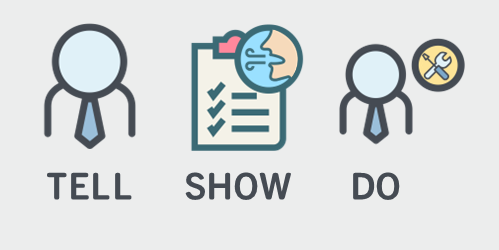
From an ideal perspective, when we build courses, we’re trying to change performance and not just share a bunch of information. That means we need a course design model that goes beyond content-sharing. One common approach for online course design is the Tell, Show, and Do model.

It makes sense because it’s simple, covers the basics, and steers us towards the course’s performance expectations.

Tell People What They Need to Know

What do they need to know and why?

The goal is to establish expectations and clarity around objectives. This helps create a framework for learning. It also establishes context. Instructionally, “telling” allows us to curate content, package, and present it in a manner that saves time compared to self-discovery (which is in its own way an effective strategy).

Show People What They’re Supposed to Do

Knowing and doing aren’t the same. The next step in the process is to move beyond content and towards application. What are they to do with all of the content you shared? Avoid showing what happens if they do something wrong and instead focus on the positive action.

Document the process, steps required, and where to find the content to make the decisions they need to make.

Do the Activity to Practice What They Need to Do

Unfortunately, most e-learning stops at the Telling and Showing part of the process. As a younger instructional designer, I learned that the instructor does the telling and showing and the learner does the doing. If the end goal is for the learner to do something specific (and measurable) then the training needs to integrate the activity and decision-making required to do what’s learned.

Build into the course the application of what’s learned so that the learner can practice and get feedback, and ultimately demonstrate understanding. Keep in mind that not all of those types of activities can be built into the e-learning course. In those cases, design some sort of offline learning component where the learner can do the “doing.”

The Tell, Show, and Do model is a simple and common instructional technique because it lets you build context and demonstrate the desired performance while the learner gets to practice applying what they learned. In addition, by focusing on the “doing” it moves your course design away from the all too familiar linear, click and read model.

Events

Free E-Learning Resources

Want to learn more? Check out these articles and free resources in the community.

Here’s a great job board for e-learning, instructional design, and training jobs

Participate in the weekly e-learning challenges to sharpen your skills

Get your free PowerPoint templates and free graphics & stock images.

Lots of cool e-learning examples to check out and find inspiration.

Getting Started? This e-learning 101 series and the free e-books will help.


e-learning locked course navigation

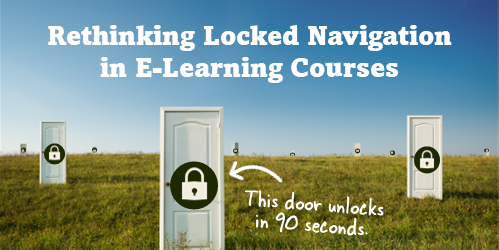
I haven’t taken a survey, but my guess is that most people will tell you they can’t stand when an e-learning course’s navigation is locked. And to compound the frustration, many of those courses are narrated by the world’s slowest talkers.

If a locked course is a frustrating experience, why do so many exist?

There are usually a few reasons. I’ll cover three common ones and some ideas on how to get around them.

Reason 1: Courses need to be locked so that all of the content is viewed.

The last thing we want is someone to continuously click the next button looking for an exit. If they do that, they’ll never get all of the important information.

In some ways that makes sense. My guess is that many people will try to click through the course as quickly as they can. And in doing so, they may miss critical information.

But locking the navigation isn’t the best solution because exposing them to a screen after screen of contents with bullet points doesn’t mean they’ll learn. It didn’t work in A Clockwork Orange and it won’t work for your e-learning courses.

Reason 2: That’s what my client wants.

Clients want all sorts of things that don’t always make sense. Locking the navigation is just one of them. They usually give the same rationale as the first point above—they want to ensure that people have gotten the information.

Is that really the goal? Getting information?

This is when we need to put on our performance consulting hats. E-learning courses are a solution to meeting an objective. They are not the objective. No organization says, “We need more e-learning!” What they want is people who are able to perform and meet the organization’s objectives. And the e-learning course is one of the ways they get there.

Reason 3: Regulations say we need one hour of training, so we set the course to last exactly an hour.

This has nothing to do with real learning so I have little advice to offer. However, one solution might be to get an enterprise Netflix account and insert that on the last slide using a web object. Let them take the unlocked course and if they finish early, they can watch something on Netflix for the remainder of the hour.

Joking aside, I’ve run into this a few times and here’s what I’ve done.

The mantra “the regulation states…” is repeated so often that we aren’t always sure what the regulation actually states. Review the regulations that dictate your course development. And then work within those constraints. You may find that you have a lot more freedom than you think. And there’s probably more creative ways to consume the time allotment than locking the slide navigation.

Simple Solutions to Locked Navigation

Here are a few simple solutions to help work through this issue.

  • Make it meaningful. The reason people click through the course content is because it doesn’t matter to them. They’re doing the bare minimum to get through the material. One way to fix the issue is to frame the course in a context relevant to their needs. If it’s relevant, they’ll be engaged and see the connection between what they do and the course material. This should slow down the clickfest.
  • Let them test out. If they already know the material, let them demonstrate it upfront. Give them a scenario or quiz to assess their understanding. If they can prove they know the material, then you don’t need to waste their time with the course. If they can’t prove it, then the pre-test failure has demonstrated their need to pay attention. This is also a great way to customize the learning experience and create a more adaptive process because you can direct them to the appropriate content based on how they performed in the initial assessment. An experienced person who makes good decisions gets one type of training and one who needs more support or remedial information gets another.
  • Design specific prove-it activities. Most likely the client commissions the e-learning course so the person can learn to do something. If the client desires specific actions from the learners, then design the course for the person to acquire and practice those actions. Instead of locking the navigation, put them in situations where they have to make decisions. And if you do need to lock it, use the prove-it activity as a way to navigate through the course rather than locked next buttons.  In that sense, the course is still locked. But instead of locking the navigation it’s locked based on the person’s ability to demonstrate understanding.

Those are a few simple tips to help alleviate locked course navigation. What tips do you have for those who want to move past this issue?

Events

Free E-Learning Resources

Want to learn more? Check out these articles and free resources in the community.

Here’s a great job board for e-learning, instructional design, and training jobs

Participate in the weekly e-learning challenges to sharpen your skills

Get your free PowerPoint templates and free graphics & stock images.

Lots of cool e-learning examples to check out and find inspiration.

Getting Started? This e-learning 101 series and the free e-books will help.


types of e-learning courses

The objective of an effective e-learning program is to create the best courses possible with the resources at hand. From what I see, most e-learning courses are simple, explainer-type content. This is fine in the right context. However, many of those courses tend to be overbuilt with superfluous interactivity.

One way to build the right type of course is to understand the types of courses typically created and where they fit in your e-learning ecosystem.

First Step: Focus on the Right Objectives

We don’t always have control over the course requests we get. If you’re a consultant who is getting paid by a company to build a course, odds are they’re expecting some sort of measurable impact. However, that’s not always the case if you’re an internal training team where the decision to build training is already made and you’re just there to make sure it gets created.

In an ideal world you get your client to identify clear, measurable objectives and you build the right course for them to meet those objectives. This helps prevent the information dumps that many courses become.

Next Step: Understand the Type of Course

types of e-learning courses

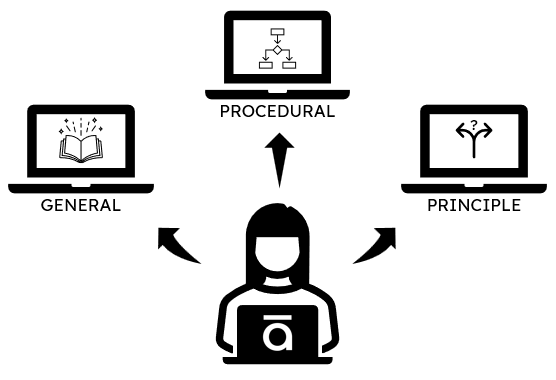
In a simple sense, e-learning courses generally focus on sharing information or changing performance. And there are three basic course types:

  • General information. These courses are designed to share general information with no expectation of performance improvement. Think of them like reading an owner’s manual. Good information to support learning, but not a real learning experience.
  • Procedural information. A lot of training is specific to products or processes. This is true when teaching step-by-step instructions that don’t allow for a lot of interpretation. Most software training falls into this bucket. Or perhaps a procedure like how to process a returned item.
  • Principled information. There are many types of courses where there are no clear procedural steps. For example, dealing with employee issues. In those cases, it’s about learning guiding principles on which to base decisions.

While the list above is relatively simple, it doesn’t mean the courses that are built have to be simple. They can be as simple or complex as the subject and budget allow. However, in most cases, principle-based courses require more nuanced decision-making and thus building that type of course will take more time than one where it’s only organized content.

The first step in all of this is to know if the course has performance expectation or not. And then identify and build the right type of course.

Events

Free E-Learning Resources

Want to learn more? Check out these articles and free resources in the community.

Here’s a great job board for e-learning, instructional design, and training jobs

Participate in the weekly e-learning challenges to sharpen your skills

Get your free PowerPoint templates and free graphics & stock images.

Lots of cool e-learning examples to check out and find inspiration.

Getting Started? This e-learning 101 series and the free e-books will help.


content dump e-learning

I’ve been at this e-learning game for close to 30 years. While the technology has changed over the years, I still see a lot of the same problems e-learning (and training for that matter) had 30 years ago.

The main problem is that pushing content passes for training. Thus a lot of what we call e-learning courses are mostly content dumps. Because the technology has made it easier to build “courses” the content looks better than it did 30 years ago; but courses like that are both ineffective training and a subpar learning experience.

This is when your instructional design skills should prevail. This is where you have an opportunity to exert some influence and craft a better learning experience.

Good E-Learning Goes Beyond E-Reading

A lot of courses (perhaps most) are content heavy with lots of text and videos. Maybe there’s some simple interactivity like a tabs interaction or one of those fancy images with labels and markers, but that’s just a different way to expose content.

There’s nothing wrong with content. Outside of e-learning, we still read text books and watch videos to learn. However, being exposed to content isn’t the same as learning which requires a few additional things: content WITH practice and feedback in some meaningful manner.

Want to move past the content dump? How are you building practice and feedback into your courses?

Good E-Learning Helps Demonstrates Understanding

Instructional design is about crafting an experience where people acquire information (content) and learn to use it (learning) in a meaningful way. In that process they are able to demonstrate their understanding of the content and how to apply it in a real-world context.

Here’s a real challenge, though.

I’ve worked in enough places where the organization didn’t really care about learning. All they wanted was a “course” with a final quiz so they can certify completion (and compliance) and say they provided training. In that environment, it’s really easy to copy and paste content into a “course” and call it good.

However, that’s not good e-learning. And it’s not effective training. It’s instructional laziness when we substitute content dumping for learning experience. And if that’s all we’re doing, there’s no need for an instructional design industry.

A course should be more than screen after screen of information. Ultimately, when a person takes a course they should be able to demonstrate a level of understanding that goes beyond simple quiz questions. It’s time to take the content dump to the dump.

As instructional designers and course builders, we should be able to push back. It helps our industry and it helps our organizations not waste time and money.

What do you think?

Events

Free E-Learning Resources

Want to learn more? Check out these articles and free resources in the community.

Here’s a great job board for e-learning, instructional design, and training jobs

Participate in the weekly e-learning challenges to sharpen your skills

Get your free PowerPoint templates and free graphics & stock images.

Lots of cool e-learning examples to check out and find inspiration.

Getting Started? This e-learning 101 series and the free e-books will help.


e-learning tips

I am a simple person and usually try to explain things in three steps. They’re easy to remember and share. Here is a round up of all previous posts that share three steps to do something to improve your course design and development.

General E-Learning Course Design Tips

Production Tips for E-Learning Course Design

PowerPoint Tips for E-Learning

Professional Development

Events

Free E-Learning Resources

Want to learn more? Check out these articles and free resources in the community.

Here’s a great job board for e-learning, instructional design, and training jobs

Participate in the weekly e-learning challenges to sharpen your skills

Get your free PowerPoint templates and free graphics & stock images.

Lots of cool e-learning examples to check out and find inspiration.

Getting Started? This e-learning 101 series and the free e-books will help.


compliance trainingI’m not sure what the number is, but my guess is that compliance/regulatory training makes up a large majority of the e-learning that gets created.
Most compliance training isn’t training to change performance. The focus is awareness and certifying that the learner understands and accepts those expectations. Or perhaps it’s some sort of annual refresher.

I used to work with a community healthcare group and the nursing staff did a week of annual training. They already knew the content. However, they had to review the content each year and be certified. But they weren’t really learning a lot of new things.

Another common example is ethics training. We don’t have organizations full of unethical people and then do training to make them ethical. Instead, we do the ethics training to state the organization’s position and expectations.

That doesn’t mean there’s no performance expectation. For example, a performance requirement may be to identify unethical behavior. Or perhaps, it’s knowing what to do when it’s witnessed.

In fact, one of the downfalls of compliance training is that the focus is usually only on the content and end-of-year certification. But what about how to apply the expectations in the real world:  learn how to identify unethical behavior and then what to do?

Because compliance training is usually only focused on disseminating content, the measure of understanding is usually a few simple multiple choice quiz questions and certificate of completion.

However, if the compliance training focused on how the organization’s expectations play out in a real-world environment, the course designer could use decision-making scenarios that mimic the real-world. This is a better way to assess the learner’s understanding of ethics and how they apply the training in a context that’s meaningful to themselves.

I get asked a lot about compliance training and here is my core advice:

  • If it’s merely to certify exposure to the content, create a simple course with a simple quiz so that people can get in and out of the course and back to productive work quickly.
  • If you want to build engaging and meaningful training, identify the performance angle and create decision-making opportunities so they can process the content in a relevant context.

What do you find to be the biggest challenges with compliance training?

Events

Free E-Learning Resources

Want to learn more? Check out these articles and free resources in the community.

Here’s a great job board for e-learning, instructional design, and training jobs

Participate in the weekly e-learning challenges to sharpen your skills

Get your free PowerPoint templates and free graphics & stock images.

Lots of cool e-learning examples to check out and find inspiration.

Getting Started? This e-learning 101 series and the free e-books will help.


successful training program

Let’s be honest, a lot of training is useless. That’s because there’s a lot of demand to put content online and force feed it to the learners and call it training. Most of that demand comes from various regulatory or compliance requirements so that type of training will always exist.

Most learners take those courses begrudgingly and hope to get in and out and certified as fast as possible.

The training that isn’t useless is performance-based training that helps people do something new or better. Because there are performance expectations built into the course, the client is eager to craft a successful learning experience that is more than just information.

The key to a good learning experience is to influence the learner’s motivation and that starts by seeing the course from the learner’s perspective. This is different from the default starting position of most courses which is to focus on content structure.

Here’s what the learner wants to know.

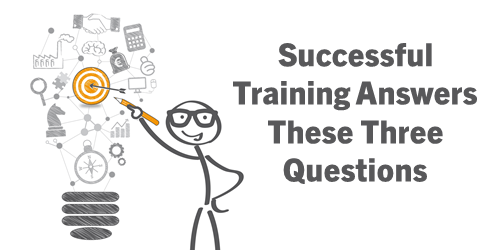
Successful Training: Why am I taking this course?

“At the end of this course you should be able to do XYZ.”

What are the objectives of the course? Clarity around the course objectives is critical. The closer the course objective is to real-world expectations and requirements, the more motivated a person will be. It’s important that they quickly understand the value of the course and how it impacts them. Make it relevant.

Successful Training: What am I supposed to do with all of this content?

We ask people to commit X hours of their lives to the online training. It shouldn’t be wasted. One way to waste time is to put screen after screen of information in front of them with no expectation that they can apply that to anything that they do.

A good course couples information with application.

“Here are things you need to do and here’s the information that will help you do it.”

Successful Training: How can I prove I know this?

A performance-based course is built around expected activity. Identify that activity and then build the course from there. That helps you focus on key content. And the course activities that mirror the real-world expectations also become the basis for the assessment.

Passing a ten-question quiz is fine, but what does it really prove? If you are supposed to be able to do something, then you need to build that into the training process.

Ultimately, you craft a learning experience centered around relevant performance expectations and you build an assessment process where they can practice and demonstrate their learning and understanding.

It’s easier to package content and call it a course than to craft a good learning experience. That’s why a lot of courses are mostly nice-looking content. However, that may not be the right type of course, especially if you have performance expectations. And it’s definitely not the most motivating course.

Focus on the learner and how they use the content and you’ll build better e-learning and training programs.

Events

Free E-Learning Resources

Want to learn more? Check out these articles and free resources in the community.

Here’s a great job board for e-learning, instructional design, and training jobs

Participate in the weekly e-learning challenges to sharpen your skills

Get your free PowerPoint templates and free graphics & stock images.

Lots of cool e-learning examples to check out and find inspiration.

Getting Started? This e-learning 101 series and the free e-books will help.


Articulate Rapid E-Learning Blog - knowing your online training and online learners

Many online training courses go by a one-size fits all model: build one course and everyone has to take it exactly the same way. I like to think of this as the e-learning gulag where there’s not a lot of freedom for online learners and little concern for their experience.

Who Are Your Online Learners?

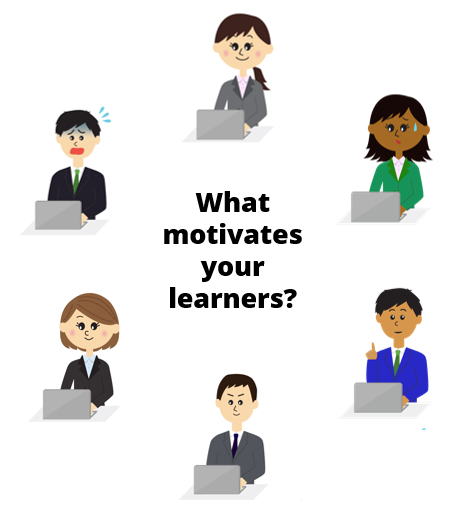
Regardless of how you design your online courses, it is important to understand your online learners, their needs, and what motivates them. In this post we’ll look at a few different types of online learners and some ways to create online training that meets their needs.

Articulate Rapid E-Learning Blog - what motivates your online learners

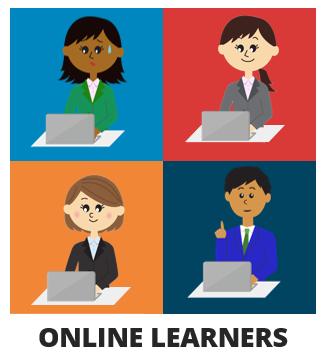
  • Get to the point: these learners have a pretty good idea of what the course covers. They’re not interested in a bunch anecdotal stories or case studies. They’re happy with a list of information, how it impacts them, and what they need to do.
  • Curious: these learner are motivated by new things; they’re really interested in the material and what’s in the course. They want opportunities to test ideas and see what happens.
  • Mandatory: these learners start out bored and not motivated because the course is mostly irrelevant to the job; however it’s mandatory. They’re going through the motions, looking for the next button, and waiting for the final quiz.
  • Tenured: these learners are experienced and already know the content. They’re interested in what’s new and how it changes what they do. They don’t want to waste time covering what they already know.
  • Skeptical: these learners are challenged by change because what they know is different and where they may be going isn’t always certain. They’ll embrace the learning but need a safe way to learn at their own pace.
  • Multitasker: these learners are a by-product of the Internet’s easy access to information. They like a lot of information, tend to jump around, and don’t have the patience to do more than bite-sized activities.

The key point is that while we build a single course, the reality is that it’s delivered to an audience that’s not homogenous. The online learners come from different backgrounds, levels of motivation, skill, and experience. This makes crafting a great learning experience a bit of a challenge.

How a Single Course Can Accommodate Multiple Online Learners

However, one thing online training does do well is that it offers a lot of flexibility. The key is to take advantage of what it offers to build an online training course that meets the needs of many online learners. Here are a few thoughts:

  • Let online learners test out. If the objective is that the person can demonstrate their understanding of the content, then give them an opportunity to do that at the forefront. Passing demonstrates their understanding so they’re done and can get back to work. If they don’t pass then they’re now aware of their deficiencies and prepared to learn.

Articulate Rapid E-Learning Blog - knowing your online learners and adaptive paths

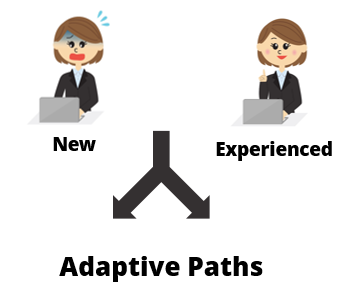
  • Create adaptive learning paths to accommodate the different needs of your online learners. This could be giving them the opportunity test out (as mentioned above) or taking them on a custom journey based on their learning needs. Essentially, the person with more experience doesn’t need the same course as a new person.
  • Package the online learning in relevant scenarios and let the learner make a lot of decisions. There’s all sorts of ways to present content and feedback that is engaging and fun. Here’s a post to help you get started.

Articulate Rapid E-Learning Blog - knowing your online learners and custom online training experience

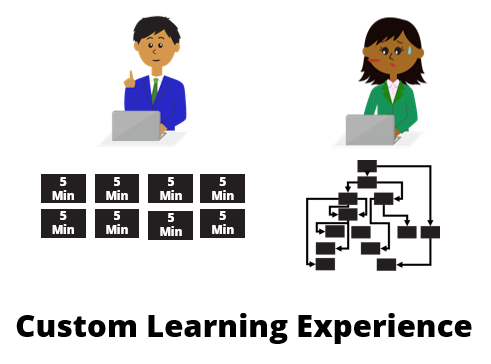
  •  Create bite-sized training modules. Instead of big, long courses, break the content into smaller and more palatable coursels. It’s a great way to make the training appear faster and it’s easier to package the smaller modules into custom training solutions to accommodate different audience needs. It also satisfies the needs of those who want quick access to just-in-time content.

There’s a lot you can do to create custom online learning experiences all inside the same course. But you’ll need to step away from the bullet points, free up the navigation, and give the learners more freedom.

The next time you build a course consider the different people taking it and how you can help meet their needs.

Events

Free E-Learning Resources

Want to learn more? Check out these articles and free resources in the community.

Here’s a great job board for e-learning, instructional design, and training jobs

Participate in the weekly e-learning challenges to sharpen your skills

Get your free PowerPoint templates and free graphics & stock images.

Lots of cool e-learning examples to check out and find inspiration.

Getting Started? This e-learning 101 series and the free e-books will help.


Articulate Rapid E-learning Blog - Build Better Online Training

There’s often a big disconnect between the training that is delivered and the training that has impact. It’s because training is commissioned by someone who doesn’t take the training like a manager or subject matter expert. What happens is that while the training has all the right information it doesn’t frame it in a perspective that is true or relevant to the learner; and that’s because the end-user usually doesn’t have a seat at the table when the training is being developed.

Here are a few ways to change that.

Build Better Online Training by Interviewing Your Learners

Someone asks you to build the training but it’s usually not the end-user. The client has all sorts of content and it’s your job to figure out what content is appropriate to meet the learning objectives. However, you also must craft a learning experience that is effective.

One way to do that is by spending some time with your learners. Share the content and objectives and then get their feedback. Ask them what content is most meaningful and useful to them. Ask how they’d structure the training.

Articulate Rapid E-Learning Blog - Build Better Online Training by making content relevant

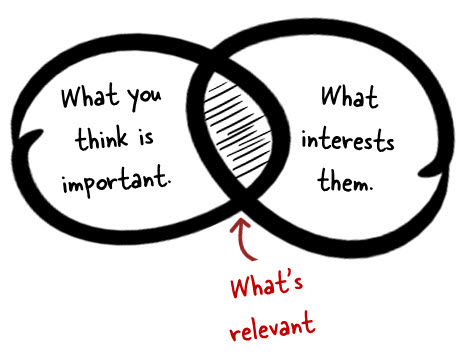
From the conversations with them you’ll get a better sense of what they do and how the course content is relevant to their performance needs. They’ll often give you some really good use cases that can be used for simulations and interactive scenarios.

Keep in mind that what the end-user thinks is important isn’t always the priority. Often the organization has regulatory requirements that may not be relevant from a performance perspective but still a requirement for delivered training. They key point is that you’re getting another perspective.

Build Better Online Training Through Observation

Course content doesn’t always address the nuances of real work. That’s why spending time with your learners and seeing how they perform in a real environment is critical for successful training. And you’ll learn things that aren’t addressed by the content.

For example, I once built training for a production facility. The new hires had to learn how to operate some large and complex machines. I spend some time on the floor and learned that many were intimidated by the machines. This made it hard for them to learn.

Articulate Rapid E-Learning Blog - Build Better Online Training by observing your learners

Because of this, the first part of their training was to learn the parts of the machine and focus on a lot of preventive maintenance. We wanted them to get their hands on the machine and feel comfortable with it. It worked because their familiarity with the machines helped them feel comfortable and the result was that they outperformed those who didn’t go through that part of the training.

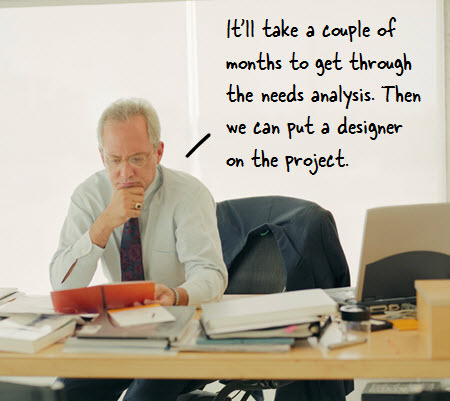
We would never have even considered this part of the training had we not spent time on the floor observing how they did their jobs. There are additional tips in this post on how to avoid needs analysis paralysis.

Build Better Online Training with Rapid Prototypes

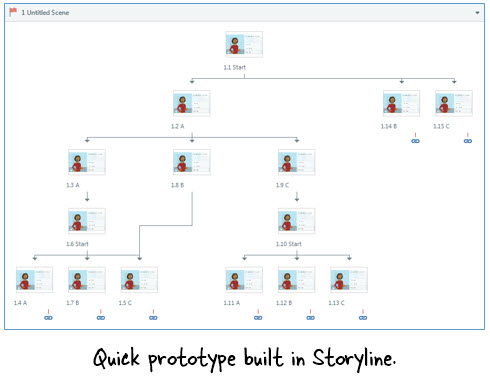
As you interview your learners build a quick prototype of how the course would work. It doesn’t have to be perfect. I used to use PowerPoint and hyperlinks to do this. It’s a quick way to get an idea of how to structure the course content especially for interactive scenarios.

Today it’s even easier than in the past. You can shoot digital photos or videos and insert them in slides. The e-learning software is getting so easy to use that rapid prototyping only take a few minutes. I do this all the time at conferences when I’m at the booth. People come up and ask how to do specific things and in minutes we can build a quick interactive scenario.

Articulate Rapid E-Learning Blog - Build Better Online Training by building prototypes

Don’t worry about everything being perfect. I’m famous for using stick people and blue boxes. The point is that a quick prototype helps you understand the flow and expose potential issues.

Build Better Online Training with Pilot Sessions to Get Feedback

The reality is that sometimes you don’t get access to the learners. This happened to me a few years back when I worked for a bank. I was building training for loan officers and wanted to talk to some to get a sense of how things worked in their work environment. The organization thought it would be a waste of time, so I didn’t get permission to spend time with them.

If that’s your situation then build the course and prior to final approval have some of the end-users take it. If you can, try to observe how they go through the course. Often this will expose some user experience issues like navigation or improper instructions. Try to solicit as much feedback as you can so that you can make adjustments prior to the launch date.

Articulate Rapid E-Learning Blog - Build Better Online Training by piloting your courses

It’s not ideal, but it’s better than launching a course that has issues. Plus, once you have something more complete, your client may not have an issue with you spending time with the end-user. Even if you can’t get a lot of people to pilot the course, try to get at least one person. I outlined some things to do in this post on what do to before your course goes live.

The main point in all of this is that the goal is to create a successful course and one way to do so is to spend some time with your learners to understand their needs and how to design a course that both meets your learning objectives and the needs of the learner.

What tips do you have when it comes interacting with your learners as you build the course?

Events

Free E-Learning Resources

Want to learn more? Check out these articles and free resources in the community.

Here’s a great job board for e-learning, instructional design, and training jobs

Participate in the weekly e-learning challenges to sharpen your skills

Get your free PowerPoint templates and free graphics & stock images.

Lots of cool e-learning examples to check out and find inspiration.

Getting Started? This e-learning 101 series and the free e-books will help.


Rapid E-Learning Blog - how long should e-learning course be

I’m often asked how long an e-learning course should be. My quick response is that it should last long enough to meet your objectives. On the surface that’s not a bad answer, but it’s usually one that doesn’t satisfy either. There are a few variables when it comes to determining how long an e-learning course should be.

However here are some tips that may help answer the question.

Chunk Your Content

The trend in online learning is small, digestible chunks. Some people call it YouTube learning or microlearning. I like to call them coursels (as in course morsels).

The trend makes sense. We’re using more and more mobile devices where quick hit training works better and chunked content is easier to process. By chunking the content, you also have a more agile production environment. The modules are easier to update and modify; and they’re easier to move around to create custom learning solutions.

Rapid E-Learning Blog - how long should e-learning course be using coursels

As far as course length, with chunking it may be determined by the learner and not content. Some people may only need one chunk to meet your learning objectives while others may need more.

Space the Learning Events

There’s a lot of evidence that suggests that spacing the learning events over time may improve learning outcomes. Some organizations create coursels that are introduced over time. The first coursels introduce the big picture concepts and then over time the learning is reinforced through various activities that require recall and application.

Rapid E-Learning Blog - how long should e-learning course be using spaced events

Years ago we built a training program where we had a few basic courses that highlighted the organization’s specific performance expectations. And then we scheduled a series of follow up challenges that required the learners to process various scenarios (using what they learned) and then discuss their solutions with their managers.

There’s also an effective way to space training over a shorter period of time in a single sitting. The main idea is to present the course content three times divided by ten-minute breaks. It may look like this: 1) the instructor presents content, 2) 10 minute break activity, 3) students recall content, 4) 10 minute break activity, and 5) students apply the content to demonstrate understanding of content.

I haven’t seen this approach applied to online learning, but I can see how this could work in a blended environment where live instruction blends with online content. In either case, chunking content and spacing out how it’s delivered changes our understanding of how long a course should be.

Be Learner Centric

One of the great advantages of e-learning is that it’s asynchronous which means it’s not confined by geography or time. That gives the learner the flexibility to take the course at a time most convenient to the learner.

Another advantage is that the learning is self-paced, which directly relates to the question of how long the course should be. An experienced person may learn a lot faster than the new person. Thus, length of time is irrelevant.

Rapid E-Learning Blog - how long should e-learning course be providing learner centric

Take advantage of what e-learning provides to create an environment that works best for the learner.

Here are a few tips:

    • Give them reasons to explore the course content.
    • Have them prove understanding as a measure of success.
    • Provide a lot of resources and guides to reinforce what they’re learning.

Slide Count is Irrelevant

Often when people ask about course length they also ask how many slides or screens the course should have. Some of this probably comes from the presentation mindset where each slide represents X minutes and if you have a 30 minute presentation you’re constrained to X slides.

However when it comes to e-learning, slide count is irrelevant. The learner looks at a screen, they don’t look at slides. You can put five pieces of information on a single slide or spread that same information over five slides. To the learner it makes no difference.

Essentially the screen shows content—mostly text and some sort of media like images and shapes. That content changes throughout the course. Does it matter if the content changes at the slide level with layers or by jumping to new slides? The end user only knows what’s displayed has changed. They don’t really care how you made it change.

It’s All About Meeting Your Learning Objectives

We all come to learning with different experiences and levels of understanding. Some people can pick up new content quickly while others may need more practice activities and feedback. E-learning is perfect for this approach because it’s flexible and can be tailored to learner needs and progress.

However, any course you build is only a solution to meet specific goals. We don’t build e-learning courses just to build courses. We build them to meet specific needs. Thus looking at the best length for a course is a bit misguided and focused in the wrong area. Ultimately we need to determine which intervention on our part helps the learner meet the learning expectations.

If the tips above don’t work for you, then the next best answer is “15 minutes.”

How do you determine course length?

Events

Free E-Learning Resources

Want to learn more? Check out these articles and free resources in the community.

Here’s a great job board for e-learning, instructional design, and training jobs

Participate in the weekly e-learning challenges to sharpen your skills

Get your free PowerPoint templates and free graphics & stock images.

Lots of cool e-learning examples to check out and find inspiration.

Getting Started? This e-learning 101 series and the free e-books will help.


Articulate Rapid E-Learning Blog - training mistakes

One of the activities we do at my workshops is prototype an interactive e-learning module. I provide some generic content and their task is to do two things:

They spend about twenty minutes discussing ideas and then they share their ideas. It never ceases to amaze me how creative they are and what they’re able to produce within the limited time.

I find that there’s no shortage of clever ideas and creative people. However, that doesn’t always translate to the production of good e-learning courses. If we don’t lack creativity, why are there so many bad courses?

Limited Performance Expectations

Many courses only exist because of some legal or regulatory reason. They are not designed to change behaviors or performance. And the only expectation is that the organization’s staff completes the “training” by the end of the year.

In that environment, organizations are reluctant to commit resources to “training” that doesn’t do much to improve performance. And that makes sense.

When I first meet with a client, I try to distinguish the information type courses from those that require changes in performance. I want them to recognize what type of course they want and then commit the resources to meet their goals.

Unfortunately, we still have to build those compliance courses that have little impact to the organization. Here are some tips to help overcome the challenges when building compliance courses. Ultimately, I try to make them light and easy to take. Get the people in and out as fast as you can. And if possible, make the course interesting. A good story helps.

Limited Graphic Design Resources

Look at many of the award-winning courses. They’re not instructionally any more sophisticated than what the workshop participants design in our sessions. Usually the big difference is the way the course looks. The award winners or those types of courses have the resources to build nice looking courses.

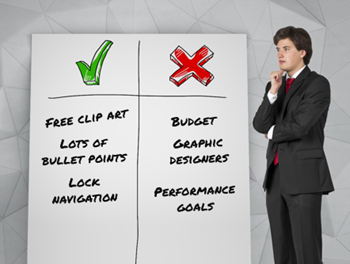
However, many of the people I meet are stuck building courses with no graphic designers and limited to the free assets they can find online.

If I were to assemble an e-learning team, I’d value a graphic designer as much as I would an instructional designer. Also if 80% of what is built is compliance training, one of the best investments is to have a graphics person on staff who can make the courses look nice and visually cohesive.

No Budget for Course Design

I once worked at an organization where we were training tens of thousands of employees around the country. I was new to the organization and tried to get $80 to buy some images from a stock image site. Instead of giving me the money to buy the images, we had a team meeting with an executive manager who explained how we could save money using the images on some crappy CD she had at her desk. The organization spent about $2000 in meetings to save $80. This type of thing is typical for many training teams.

The lack of financial commitment to create effective e-learning is probably the single biggest issue I see in our industry. Organizations buy authoring software. But that’s just meets part of the need. They don’t always invest in training their staff and they rarely provide a budget to create e-learning courses.

Some of you get a budget when you build courses. But when I ask at my workshops, usually no hands go up. So if you don’t get a budget, start to ask for one. Perhaps the first time you only get $500. But the next time you get a little bit more. The key is to build the expectation that when a course is required that also means we need a little bit of money to make it happen.

If you have no performance expectations, no graphic design resources, and no budget you’re going to get the types of courses that are too common in our industry. What are some of your struggles with building better courses?

Events

Free E-Learning Resources

Want to learn more? Check out these articles and free resources in the community.

Here’s a great job board for e-learning, instructional design, and training jobs

Participate in the weekly e-learning challenges to sharpen your skills

Get your free PowerPoint templates and free graphics & stock images.

Lots of cool e-learning examples to check out and find inspiration.

Getting Started? This e-learning 101 series and the free e-books will help.


e-learning project management

I get a lot of project management questions, specifically how to keep the projects moving forward successfully. The two most essential elements are expectations and communication.

Understand the Purpose of the Course

When meeting with clients it’s important to understand and identify the learning objectives. And then from there, to craft a good learning plan.

What do they need to know? How do we know they know it? How will the learn it? OK, let’s build it!

Create a Service Level Agreement

What is the final product going to look like? What are the course requirements? When’s the due date? How will it be implemented?

Outline the entire production process and discuss who does what and when. Identify a due date and the measure of success. Then get them to sign-off on that agreement. Whenever, there’s a dispute, refer to the agreement as the foundation for the work required.

Concerning the agreement, get the person who is the final authority to sign the agreement. I’ve worked on plenty of projects that were complete and had the client then take it to someone else above them who wanted to make changes. You want to prevent that.

Establish Clear Expectations

Once that’s in place, map out the process with a clear deliverable date and some key milestones. And at those milestones, do a check-in and confirm things are moving forward as intended. Often projects get derailed with extra content or additional requirements. The milestones are a perfect way to keep track of the project’s progress and focus on the original agreement’s expectations. If they need to make changes, then rework the service level agreement and expectations.

At the end of the project, I get the client to look over the service level agreement and the final project. I then get them to sign an acknowledgement that what was agreed upon was delivered.

Be Proactive

A lot of people wait around until the client connects with them. This often causes delays because while the course is important to you as a course designer, for the client it’s usually just once thing on a list of a lot of other things (and most likely not their top priority).

Keep things moving forward. Anticipate issues or things important to the client so that you can deal with them quickly and effectively.

There you go, four simple project management tips to that help establish expectations and instigate clear communication to help move your e-learning projects forward. Want to learn more, check out this list of tips, some cheat sheets, and a free e-book in the community.

What other tips do you have to share?

Events

Free E-Learning Resources

Want to learn more? Check out these articles and free resources in the community.

Here’s a great job board for e-learning, instructional design, and training jobs

Participate in the weekly e-learning challenges to sharpen your skills

Get your free PowerPoint templates and free graphics & stock images.

Lots of cool e-learning examples to check out and find inspiration.

Getting Started? This e-learning 101 series and the free e-books will help.