The Rapid Elearning Blog

Archive for the ‘Professional Development’ Category


where to find the best e-learning

Many e-learning developers create multiple courses, but these courses are often very similar in content. Instead of building different courses, they are essentially building the same course repeatedly.

A job seeker expressed their desire to move away from creating basic click-and-read e-learning content and work on courses that have a more significant impact. However, they were unsure of which organizations are producing these types of courses and where to look.

The main question then becomes: where can you find the best e-learning courses? I have some brief thoughts on this matter, and I am interested in hearing your opinions.

The Best E-Learning Isn’t Compliance Training

The driving force behind our industry is compliance training, which typically lacks performance goals. Consequently, the primary aim of such courses, regardless of the subject, is to ensure compliance by the end of the year and to track which employees have or haven’t completed the training.

These courses are typically subpar. Organizations tend to allocate minimal resources to these courses, which are often the tedious click-and-read type that people dislike and few developers are proud to create.

The Best E-Learning is Locked Behind a Firewall

Although many high-quality courses are being developed, the issue is that the majority of them are proprietary and inaccessible due to a firewall. Occasionally, you may get a glimpse of these courses during webinars, conferences, or on social media platforms such as LinkedIn. Nevertheless, they are typically not available to the general public.

The Best E-Learning Projects Are Outsourced

In my experience, organizations may possess numerous Articulate licenses, but they often outsource the development of impactful training to external vendors. This indicates that the organization is dedicating significant resources to these projects, something that in-house course authors typically don’t receive, which can be frustrating.

At the corporate level, many teams possess authoring tools and instructional design expertise. However, they may lack the experience or resources required for media, learning experience, and visual design. Vendors are generally better equipped to support the entire development process from design to implementation.

Where Can I See Examples of the Best E-Learning?

  • E-Learning Challenges: we organize weekly e-learning challenges with the intention of encouraging course authors to experiment with the software, learn about its features, and try out new techniques. While the modules shared by participants may not always be actual courses, they present innovative ideas and interesting solutions that could be easily adapted to most courses. Even if you decide not to participate, we recommend checking out the recap posted every Thursday. You will find excellent examples that may inspire your own creativity. Here’s a favorite from a recent challenge on interactive video.
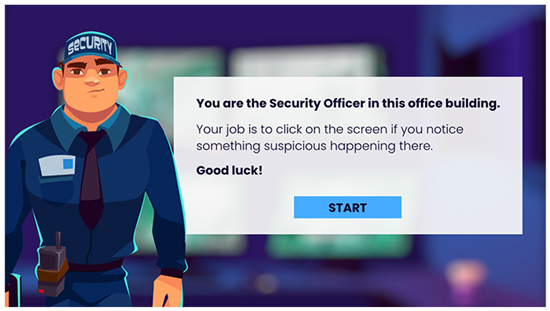
great e-learning example of interactive video

Click to view the demo.

  • DemoFest Examples: at their conferences, The E-Learning Guild hosts a DemoFest, which is like a science fair for e-learning projects. This is one of my favorite parts of the conference as it gives us an opportunity to view real projects created by individuals from a variety of organizations. If you can’t attend, no worries. Following the events, the Guild hosts a “Best of…” webinar, which is also worth watching and allows you to see some of the courses shared.

Those are a few suggestions on where to find good examples. Do you have any ideas to share?

Events

Free E-Learning Resources

Want to learn more? Check out these articles and free resources in the community.

Here’s a great job board for e-learning, instructional design, and training jobs

Participate in the weekly e-learning challenges to sharpen your skills

Get your free PowerPoint templates and free graphics & stock images.

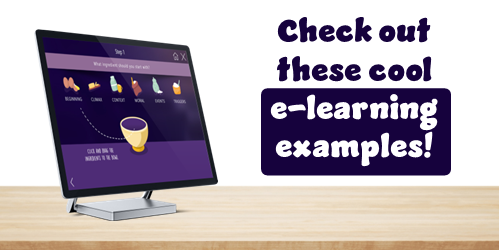
Lots of cool e-learning examples to check out and find inspiration.

Getting Started? This e-learning 101 series and the free e-books will help.


e-learning examples header

One of the best ways to learn to build courses is to get inspiration from what others build. That’s one of the reasons I like the weekly challenges.

Everyone is presented with the same challenge, yet each challenge entry offers something unique. There’s always something to glean: from interesting visual design to creative use of the application’s features.

When I get the chance, I like to highlight the work that people put out there. Today, we’ll look at some of the examples from Samara Reyneke. Keep in mind that many of these are not complete courses but instead they’re prototypes created for the weekly challenges.

What I like about her examples:

  • Visually rich design
  • Custom navigation & prompts
  • Interesting animations
  • Engaging content design

Check out some of these examples below. You can also see more under her community profile.

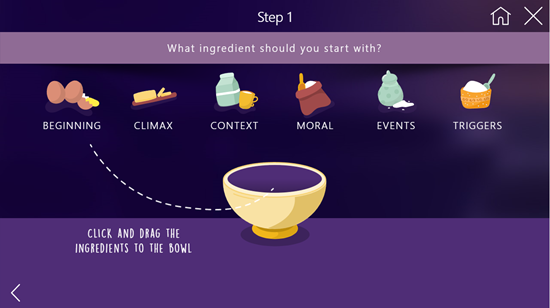
E-Learning Example 1: Telling a Good Story

e-learning example good story

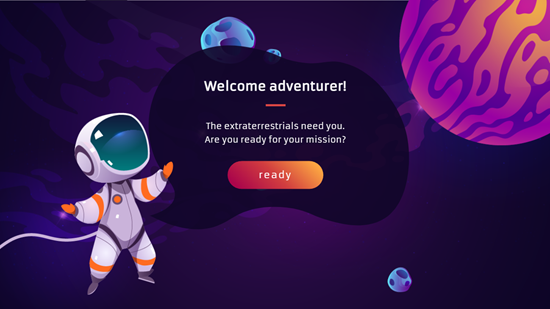
E-Learning Example 2: Space Adventure

e-learning example space adventure

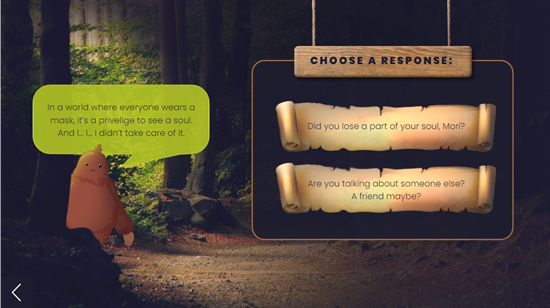
E-Learning Example 3: Knuffle Bunny Challenge

e-learning example knuffle bunny

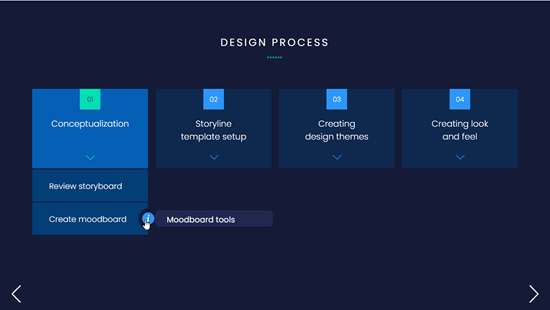
E-Learning Example 4: Learning Experience Design

e-learning example design process

E-Learning Example 5: The World of Bees

e-learning example bees

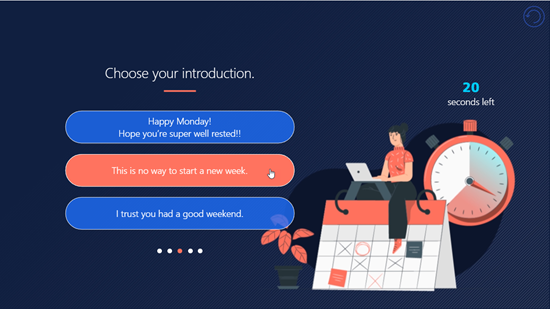
E-Learning Example 6: Email Etiquette

e-learning example email etiquette

Takeaways

  • Thanks to Samara for sharing her courses and downloads.
  • Make it a habit to at least look at the challenge recaps, even if you can’t participate in them.
  • If you see something interesting, try to replicate it to learn how to build it yourself and then figure out where you can use that in your course design
  • Many of the challenges also include download links so you can checkout the source files.

Events

Free E-Learning Resources

Want to learn more? Check out these articles and free resources in the community.

Here’s a great job board for e-learning, instructional design, and training jobs

Participate in the weekly e-learning challenges to sharpen your skills

Get your free PowerPoint templates and free graphics & stock images.

Lots of cool e-learning examples to check out and find inspiration.

Getting Started? This e-learning 101 series and the free e-books will help.


e-learning success at DemoFest

A guest post by Elizabeth Pawlicki, Senior Customer Advocacy Manager, Articulate.

Last week I was at Devlearn, one of my favorite events of the year. After no event in 2020 and a scaled-back Articulate presence in 2021, it was nice to be back and see some familiar faces and meet so many new people.

What I enjoy the most about Devlearn is DemoFest, where people show off real e-learning projects. And they showed up in big ways, with examples ranging from health literacy to escape games to how to make hamburgers. In fact, the Guild is going to do a webinar highlighting the various entries.

Personally, I like DemoFest because it gets me out of the weeds. I get to use Articulate 360 while helping customers, but I don’t often get to stretch my creative muscles and build big courses. That’s why I love the projects at DemoFest. What people share is so inspiring.

Another reason I like DemoFest is that it’s frustrating to see discussions in places like LinkedIn, where there’s lots of complaining about what everyone in the industry is doing wrong, but those same complainers rarely share their examples of what to do right.

Do you know why?

Because it’s easy to be a critic, especially when you don’t show your own work. It’s much more challenging to be vulnerable and put your work out there to be judged. Kudos to those who bravely shared their work (especially the student projects from Bloomsburg University).

Events like this are how I connect with our customers and hear all the cool things people are working on. I love talking to folks in the booth and hearing what kind of courses they’re building, but seeing someone sharing their work to hundreds of DemoFest attendees is really special. And what always strikes me is how impactful these courses can be. E-learning courses can contribute to cost savings, time savings, reduction of waste, and about a million other objectives.

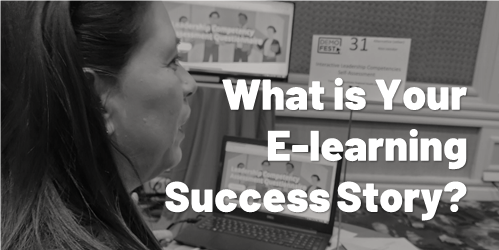
What’s Your E-Learning Success Story?

Not everyone gets to go to Devlearn and share their courses. But everyone has a story. What courses are you building? How has e-learning helped your organization? I’m fired up from DevLearn and I’ll be doing a series of success stories and case studies about the great work our customers are doing.

Do you have something you want to share? I would love to chat with you. You can either fill out this form or send me an email at elizabeth@articulate.com.

Events

Free E-Learning Resources

Want to learn more? Check out these articles and free resources in the community.

Here’s a great job board for e-learning, instructional design, and training jobs

Participate in the weekly e-learning challenges to sharpen your skills

Get your free PowerPoint templates and free graphics & stock images.

Lots of cool e-learning examples to check out and find inspiration.

Getting Started? This e-learning 101 series and the free e-books will help.


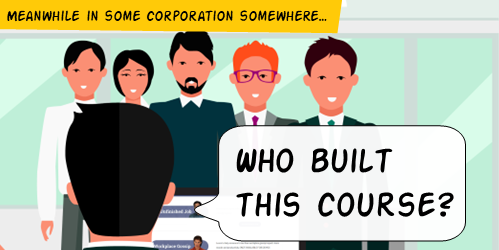
e-learning job

The organization’s ultimate goal is not to build a course. Instead, the goal is to meet some sort of performance need. And in that sense, the e-learning course is a solution to meet an objective.

And this is where e-learning often falls down.

Effective training programs successfully meet learning objectives that aren’t fuzzy and non-measurable. On top of that, e-learning is usually just part of the overall training program. So it’s not the end-goal.

I’m often asked about how to build better e-learning. From my perspective, many of the courses I see aren’t very good. There are all sorts of reasons for this, but the main reason is that the courses share so much content that they present the illusion that they’re complete. But usually, they’re just content-heavy andnot tied to any meaningful objectives. Thus, they usually produce little to no tangible benefit for the organization.

If you didn’t see it, here’s an interesting article where training gets a large part of the blame for an organization’s $8 billion attrition rate. Is it fair that training gets the blame? I don’t know. But the key consideration for those of us in training is that we need to be aware of the perception and make sure that our programs are designed to actually meet objectives.

When we design e-learning courses, we need to think about the overall objective of the training program and design our courses to meet that objective. All too often, I see courses that are nothing more than glorified and interactive PowerPoint slides. These courses might be fine if the only objective is to provide information, but if the objective is to actually change behavior or improve performance, then these types of courses are doomed to fail.

The bottom line is that a course is only as good as the objectives it’s designed to meet. If you’re not sure what the objectives of your training program are, then you need to go back to the drawing board. But if you have a clear understanding of the objectives, then you can design a course that will actually help your organization meet those objectives.

And that’s the challenge for many of us who build courses. We build a lot of content that we call e-learning. But does what we build contribute to success? How do you know?

Events

Free E-Learning Resources

Want to learn more? Check out these articles and free resources in the community.

Here’s a great job board for e-learning, instructional design, and training jobs

Participate in the weekly e-learning challenges to sharpen your skills

Get your free PowerPoint templates and free graphics & stock images.

Lots of cool e-learning examples to check out and find inspiration.

Getting Started? This e-learning 101 series and the free e-books will help.


articulate user conference

I’m really excited about the Articulate User Conference this year. It’s on October 25, 2022 and co-located with Devlearn. The conference includes five tracks covering 25 topics. They’re all designed to be practical sessions where you will walk away with solid tips & tricks to help build better courses.

I’m also excited because there are a number of new speakers and people you’ll recognize from the community. People who frequently share examples of what they build and offer help in the e-learning community. It’ll be a great time.

Here’s why it’s worth your time:

  • The sessions are practical and have real-value. You’ll see some great examples and learn to apply what’s shown to your own course design.
  • Community is where it’s at. Most e-learning developers are on small teams, and often teams of one. I see the community as an extension of your cubicle or team. There are people there who can help you get things done and vice versa. Build on those relationships by meeting some of the people from the community.
  • Lots of resources to take back with you. Each session will include all sorts of resources, downloads, and additional help so that when you get back you can lean into what you learned at the conference.

Below are the five core learning tracks and their sessions for you to review.

Articulate 360 Foundations

  • 10 Ways to Use Sliders in Storyline 360 | Jodi Sansone
  • How I Stumbled Into E-Learning and Became a Successful E-Learning Designer | Kandice Kidd
  • Troubleshooting Storyline 360 Courses: Tips to Keep You on Track! | Tom Kuhlmann
  • Top Tips for Streamlining Your Course Development | Ashley Chiasson
  • Spicing Up Your Rise 360 Course | Brooke Schepker

Improving Course Design

  • Using 360° Images to Give Employees a Realistic Look at Their Work Environment | Paul Njuguna
  • Simulation & Gamification as Part of a Blended Learning Strategy | Alex Ryan & Tristia Hennessey
  • State of Play: How To Build a Game-Like Quiz in Storyline 360 | Jonathan Hill

Advanced Course Design

Accessibility

Showcase & Deconstruction

As you can see, that’s a packed agenda. You’ll learn a lot and you’ll meet other e-learning developers who are in the same boat and face similar challenges at work. I am sure you’ll have a great time.

It’s not too late to sign up. And you don’t need to attend the entire Devlearn event, if all you want to do is attend the Articulate User Conference. Below is the pricing info:

  • $495.00 USD — When combined with DevLearn registration
  • $595.00 USD — Standard rate

Hopefully you can make it.

Events

Free E-Learning Resources

Want to learn more? Check out these articles and free resources in the community.

Here’s a great job board for e-learning, instructional design, and training jobs

Participate in the weekly e-learning challenges to sharpen your skills

Get your free PowerPoint templates and free graphics & stock images.

Lots of cool e-learning examples to check out and find inspiration.

Getting Started? This e-learning 101 series and the free e-books will help.


e-learning tips

I am a simple person and usually try to explain things in three steps. They’re easy to remember and share. Here is a round up of all previous posts that share three steps to do something to improve your course design and development.

General E-Learning Course Design Tips

Production Tips for E-Learning Course Design

PowerPoint Tips for E-Learning

Professional Development

Events

Free E-Learning Resources

Want to learn more? Check out these articles and free resources in the community.

Here’s a great job board for e-learning, instructional design, and training jobs

Participate in the weekly e-learning challenges to sharpen your skills

Get your free PowerPoint templates and free graphics & stock images.

Lots of cool e-learning examples to check out and find inspiration.

Getting Started? This e-learning 101 series and the free e-books will help.


share courses

If you’re not using Rise.com or a learning management system to manage your e-learning courses, then you’ll need another way to upload courses to a web server to share. This is especially true if you’re maintaining a professional portfolio in one of those simple website builders like Wix where you can’t upload your published course files.

In an earlier post we looked at using Amazon S3 to share courses and today we’ll look at using Google Cloud.

  • With Google Cloud, you create an account and add a project.
  • From there you create a bucket to hold the content folder.
  • You upload files and folders (or published e-learning courses).
  • Then you add permission to access them. This generates the URL you can share with others.

Google gives you 5 GB free, and odds are you will never have to pay for the service unless you have a lot of content. And even then, it’ll only cost a few dollars a year at most.

Share Courses Tutorial

Here’s a quick tutorial that walks through how to create the Google Cloud account and get it all set up to share courses. If you have questions or need help with this, the Google Cloud site has lots of handy tutorials to help.

View the tutorial on YouTube.

Resources

Events

Free E-Learning Resources

Want to learn more? Check out these articles and free resources in the community.

Here’s a great job board for e-learning, instructional design, and training jobs

Participate in the weekly e-learning challenges to sharpen your skills

Get your free PowerPoint templates and free graphics & stock images.

Lots of cool e-learning examples to check out and find inspiration.

Getting Started? This e-learning 101 series and the free e-books will help.


share courses Amazon S3

Ideally you have an LMS or using a product like Rise.com to share your e-learning courses. However, there are many times you don’t need a formal management system. For example, you may maintain a professional portfolio where you share courses and work samples.

Amazon S3 is an easy way to do this. And it’s relatively simple : create the account, upload your files, create a URL, and let people access the content. The cost is nominal. Odds are you won’t pay anything and if you do, it’s only a few dollars a year.

Share Courses with Amazon S3 Tutorial

Here’s a quick tutorial that walks through how to create the account and get it all set up. I also show how to use Cloudberry Explorer (another free product) to manage uploading and creating the URL.

View the tutorial on YouTube.

Resources

Events

Free E-Learning Resources

Want to learn more? Check out these articles and free resources in the community.

Here’s a great job board for e-learning, instructional design, and training jobs

Participate in the weekly e-learning challenges to sharpen your skills

Get your free PowerPoint templates and free graphics & stock images.

Lots of cool e-learning examples to check out and find inspiration.

Getting Started? This e-learning 101 series and the free e-books will help.


Articulate Rapid E-Learning Blog - build better elearning courses

Are you tired of building the same courses over and over again? Sure, you may get to build a hundred courses, but they’re the same course built a hundred times. The result is that many of the courses look the same and they don’t provide the opportunity to expand your course design skills.

Today I’d like to offer a few tips on how you can get out of the hundred course rut.

Build Better E-Learning by Making Time to Do Something Different

Many organizations allow their employees to have some free time to hack together ideas or work on other types of projects. I spoke to one e-learning manager that lets his employees spend a few days each month on personal projects. His rationale is that it gives them “time to unwind and play around with ideas.”

Articulate Rapid E-Learning Blog - build better elearning courses by doing something new

Most organizations won’t make time for you to “mess around with ideas” so you need to find ways to get the time. We often used team meeting time to brainstorm ideas.

For example, one challenge was how to navigate a course if all you could do was drag and drop objects and couldn’t click anywhere on the screen. Another was to produce 100 analogies we could apply to our training programs: climbing stairs, climbing mountains, going down a road, entering a building’s lobby, etc. We then used some of the ideas as models for our course designs.

The main point in the activity was to think about things in a unique way and to prototype ideas. They may not always be used, but they will help develop your skills.

Build Better E-Learning Through Inspiration

As you know, I am a big fan of the weekly e-learning challenges because they do exactly what I’m talking about above. They’re a springboard to play with ideas. We present simple challenges to help nudge you a bit. They’re not intended to be big courses or even all that elaborate. Some people put together complete ideas and some just build quick prototypes. The main goal is to get you to try something different than what you normally do at work. Through that process you find innovative ideas and production techniques.

Articulate Rapid E-Learning Blog - build better elearning courses by finding inspiration

Even if you don’t participate in the weekly challenges, I still encourage you to look at what’s being done. They’re a great source of inspiration. You may pick up some neat ideas that can be applied in your own e-learning courses. All the participants get the same instructions, but the results are always different. It’s nice to see diverse ideas.

Build Better E-Learning Through Mimicry & Iteration

All the Articulate community managers do an excellent job building courses. However, if I were to look at the demos they build without knowing who built them, odds are that I’d be able to match the course author to the course because we all tend to have our own style.

That means our course screens tend to look similar. The layouts, colors, fonts, and object sizes all tend to be the same. That’s not a bad thing. But building the same type of course a hundred times the same way can cause some creative fatigue.

By stepping away from our own style and attempting to mimic the work of others we become better course designers. I recommend collecting e-learning courses, multimedia examples, or visual design ideas that you find inspiring and then setting some time to practice recreating them.

  • Step 1: Try to replicate what the content creator did. This helps you figure out what they did and how you’d do the same thing with your authoring tools. Don’t worry about copyright or anything like that. This isn’t for public consumption. Instead it’s for your personal development.
  • Step 2: Once you have decent replication, start to iterate. Pretend that a client told you they wanted this project redone. What would you do? From there you’ll be able to transform the idea that inspired you to something that’s uniquely yours. And most likely it’ll look a lot different than what you would have done on your own. I usually look for color themes, font pairings, and visual design ideas like how shapes and lines are used. I’ll create a few different layouts based on the original design.

Articulate Rapid E-Learning Blog - build better elearning courses practicing new techniques

Here are some of the places I go to find inspiration:

  • E-Learning Examples: a good collection of all sorts of e-learning and interactive multimedia examples that could inspire course design ideas.
  • Articulate demos: the e-learning challenges have produced over 1000 different examples. You can find a complete list here. But we also feature a few of the more popular ones and other demos in our examples section.
  • News multimedia: with every major news event there’s usually some multimedia composed to explain it. USA Today and NY Times (links to examples) usually have some good demos.
  • Museums: many of the large museums have interactive tours and demos. Here’s one from the Smithsonian on how to build a sod house (requires flash) and an interactive tour of the Louvre.
  • Design sites: I’m not a graphic artist but I can glean ideas from those who are. I like to look at some of the portfolios on sites like Dribbble. I often get ideas on layouts, colors, and UI.

If you don’t want to get stuck building the same course over and over again, challenge yourself to find inspiration in the work of your peers. Make some time to connect with others and if you have time, join one of the weekly challenges. I’d love to see what you do.

How do you find inspiration for your e-learning projects?

Events

Free E-Learning Resources

Want to learn more? Check out these articles and free resources in the community.

Here’s a great job board for e-learning, instructional design, and training jobs

Participate in the weekly e-learning challenges to sharpen your skills

Get your free PowerPoint templates and free graphics & stock images.

Lots of cool e-learning examples to check out and find inspiration.

Getting Started? This e-learning 101 series and the free e-books will help.


Articulate Rapid E-Learning Blog - create hand-drawn graphics

Earlier we looked at the essential guide to visual thinking where we discussed how to communicate visually. Coupled with that post, we explored practical ways to apply visual thinking skills to e-learning course design.

One advantage of visual thinking is learning to see the concepts and how to express them to others. Another advantage is that you gain the skills to create real assets that can be used in your e-learning courses.

Today we’ll look at ways to create our own hand-drawn graphics. And of course, you can always download some free hand-drawn graphics in the community:

How to Practice Sketching Hand-Drawn Graphics

Hand-drawn objects can create a personal and organic look. They are a stark contrast to the sterile corporate look that is so common in many courses. This contrast and the organic look can be used to craft an engaging look for the course. You don’t have to be an artist to create and use hand-drawn images.  It just takes some practice.

Articulate Rapid E-Learning Blog - create hand-drawn graphics examples

A while back, Blair Rorani facilitated a Twitter Draw-a-Thon. Each day several people submitted their sketch of that day’s object. This was a good exercise to think about the objects and how to draw them.

One thing I learned was to streamline my drawings and use less to communicate more. I also tried to practice different face styles. As you can see, I’m not going to sustain a career in graphic design, but with some practice, I can create a few usable objects.

Start with Basic Shapes

Most objects are basic shapes, so you need to learn to see the basic shapes in the objects. Then practice drawing them. The more you practice, the better you get.

Articulate Rapid E-Learning Blog - create hand-drawn graphics by using basic shapes

Once you recognize the basic shapes, you’ll get better at streamlining your drawings. I find that the less detail, the better.

Practice Drawing Common Course Objects

There are a few objects that are common to many e-learning courses. Start by practicing sketching them. Break them into basic shapes and then see what you can sketch. Here are a few common objects to get started. Feel free to add to the list in the comments section.

  • File folder open & folder closed
  • Piece of paper & a stack of paper
  • Desktop & laptop computers
  • Envelope
  • Paper clip
  • Phones: mobile & stationary
  • Desk & overhead desktop
  • File cabinet
  • Whiteboard
  • Cork board

My Experience

As I mentioned in this blog post on overcoming instructional design challenges, Blair Rorani live sketched my presentation.

Articulate Rapid E-Learning Blog - essential guide to visual thinking example of instructional design

I liked what he did, so I tried my hand at live sketching at a workshop. You can see the results below.

Articulate Rapid E-Learning Blog - visual thinking ideas

What I learned:

  • Find inspiration from what you like and copy it. I liked Blair’s style, so my first step was to mimic what he did. Now that I feel more comfortable, I can begin to craft my own style.
  • My initial sketches took too long between capturing the big idea and trying to make it work with technology (I used the iPad and Adobe Ideas). However, once I completed a few of the sketches, I developed some basic procedures that helped make it faster.
  • Spend some time practicing before doing it live or as you sketch for your e-learning courses. One idea is to capture something going on at home. This would also probably produce a lot of laughs, too. Or just turn on the news and sketch what’s being discussed. The main point is to practice and to apply the basic concepts discussed above: use basic shapes to create objects and then practice sketching ideas.
  • Don’t worry about everything being perfect. Just do it. They look nice as they are and there’s something engaging about the organic look. However, I do recommend that you practice writing text, especially if you’re using an iPad. For the iPad I use the Cosmonaut stylus because the thicker pen helps me hold it more like I would on a whiteboard than on a piece of paper. I feel like I have more control when I draw. The newer PC tablets have pen input, and some come with a stylus.

We’re not all going to be artists who can crank out the best graphics. However, with some practice we can learn to communicate visually and streamline our graphics, so they do work in our courses (assuming the proper context).

Do you draw your own objects?

Events

Free E-Learning Resources

Want to learn more? Check out these articles and free resources in the community.

Here’s a great job board for e-learning, instructional design, and training jobs

Participate in the weekly e-learning challenges to sharpen your skills

Get your free PowerPoint templates and free graphics & stock images.

Lots of cool e-learning examples to check out and find inspiration.

Getting Started? This e-learning 101 series and the free e-books will help.


Articulate Rapid E-Learning Blog - become e-learning pro

“I want to become an e-learning pro. What do I have to do to get better?”

This is one of the most common questions I’m asked. I’ve addressed it a few times in the blog by sharing some tips, free e-book recommendations, and a ton of tutorials. But it’s still a common question and worth reviewing from a slightly different perspective.

We’ll look at three key steps in the process of becoming an e-learning pro.

Become an E-learning Pro by Learning More

There are many ways to learn what you need to know to become an e-learning pro. Here are a few options:

  • Get a formal college degree. There are many good degree programs out there. Here’s a list of instructional design degrees started by someone in the community. There is some debate about whether or not you need an instructional design degree. I think a degree serves you two ways: some organizations won’t hire you without one and a degree program often exposes you to information and conversation you may not approach in the daily grind of course development.
  • Complete a certificate program. A lot of schools offer e-learning certification programs. You can see some in the list above. They cost less, take less time, and many of them offer a good blend of concepts with practical application.
  • Manage your informal learning. There are many ways to learn without getting a degree. Sites like Lynda.com offer formal structure with the freedom to mix and match what you want to learn. Or you can go the Youtube route and watch the hundreds of free videos and tutorials. On top of that, the e-learning community has all sorts of e-learning tutorials and content to help you get started. The only thing required is curiosity and the discipline to learn.

Articulate Rapid E-Learning Blog - become an e-learning pro e-learning books and instructional design degrees

Become an E-learning Pro by Applying What You Learn

Taking courses, reading books, and regularly reviewing content is great. And you’ll learn a lot. However, somewhere in the process has to be an active commitment to apply what you’re learning. If not, then eventually all of that good information just fades away.

Here are a few ideas to help you apply what you’re learning:

  • Create prototyping sessions. Many of the teams I’ve worked with regularly took time to play around with e-learning design ideas and then build quick proof-of-concept prototypes.  We’d commit one Friday a month where each person had to share one idea that we could apply to a course. Sometimes we worked on novel animations or new ways to navigate. Other times we’d discuss different ways to interact with the content. The point is that we set aside time to try new things. If you don’t do something similar, then you may get stuck building the same course over and over again.

Articulate Rapid E-Learning Blog - become an e-learning pro with weekly challenge

  • Participate in the weekly e-learning challenges. The weekly e-learning challenges are one of my favorite parts of the e-learning community. They’re designed to be simple practice activities where you can commit whatever time you want to them. Some people do more and some do less. I like seeing some of the novel ideas and how people approach the same challenge from different perspectives. For you, the challenge is a great way to prototype and practice. And if I managed a team, I’d regularly take up a challenge (maybe quarterly) and make it part of the team’s development. In either case, at least make it a point to see what people are doing; you’ll get all sorts of good ideas.

Become an E-learning Pro by Sharing What You Know

The two steps above are key for building your skills. This next one is all about connecting with others, building your reputation, and demonstrating your expertise.

  • Create a blog to share what you know. You don’t need to get into the SEO rat race trying to find all the right keywords, headlines, and all of that. Instead, see the blog as something a bit more personal. See it as a way to document what you know and what you’re learning. Ditch the generic content and focus on the practical application. That’s where people will see your expertise. I love the way some of the people who participate in the weekly challenges do write ups of what they did and why. Often they share free downloads. Here are links to a couple of them (with apologies to all those not mentioned): Jackie Van Nice and Joanna Kurpiewska.
  • Show your work. I’m going to let you in on an industry secret. There are a lot of people in our industry who write about e-learning but never show their work. When I ask them about it, they always have some lame excuse about proprietary courses. You’re telling me that in 20 years you’ve not created a single course you can show publicly? It’s a lot easier to be a critic on the sideline than it is to risk criticism for the work done. You can be a step ahead of many of our industry’s experts if you show what you’re doing. Just like the weekly challenges, they don’t need to be big productions. Show what you did and explain why you did it that way. To those just learning, YOU are the expert.

Articulate Rapid E-Learning Blog - present like an e-learning pro

  • Present at workshops and conferences. A great way to build your reputation is to present at industry conferences and workshops. If you want to gain some experience, then present at local chapters or special interest groups. In fact, I facilitate community e-learning workshops. Those are great opportunities to present since they’re informal and focused on practical tips and tricks.

Becoming an e-learning pro takes time. It’s a process of learning, applying, and sharing what you know. However, if you follow the steps above you’ll be on your way to success.

Events

Free E-Learning Resources

Want to learn more? Check out these articles and free resources in the community.

Here’s a great job board for e-learning, instructional design, and training jobs

Participate in the weekly e-learning challenges to sharpen your skills

Get your free PowerPoint templates and free graphics & stock images.

Lots of cool e-learning examples to check out and find inspiration.

Getting Started? This e-learning 101 series and the free e-books will help.


getting started with e-learning

I was reviewing some older presentations I found a slide regarding the topic of getting started with e-learning. On the slide I offered three helpful tips when getting started that still hold true today.

An E-Learning Course is Different from a Classroom Session

A challenge a lot of new e-learning developers have is that they start with existing content from classroom training. This is usually in PowerPoint; and it’s easy enough to import a PowerPoint slide into an e-learning application, add a quiz, and call it good.

This is fine for some compliance training or annual refresher content because they tend to be less about “learning” and more about sharing information. But it’s not ideal.

The better strategy is to craft a learning experience that’s different than the classroom experience. Focus on the objectives and activities required to demonstrate understanding. That will help build courses less about a content dump and more about meeting measurable objectives.

Here’s a good book that does a great job walking through a backwards course design where you focus on the learning experience and not just the content.

E-Learning is Mostly a Visual Medium

Accessibility is a primary consideration when building a course, but outside of that, the e-learning course is mostly visual. Make the investment to learn more about how to structure the onscreen content properly and the how to communicate in a visual medium.

Two good books: The Non-Designer’s Design Book to learn more about basic design and Slideology to learn more about visual communication. And while you’re at it, learn to support what you do visually with alt-text and other accessibility considerations.

You’re Only as Good as What You Know About the Software

If all you know is the basics, all you’ll be able to build is basic courses. The truth is that it takes time to learn to use software. You need to make an investment to learn how to really use the tools. Here’s why:

  • It speeds up your production as you become more efficient. This saves time and lets you spend your energy elsewhere.
  • You’ll learn advanced skills that let you problem solve. The software gives you specific features, but as you gain more advanced skills, you’ll produce unique ways to use the features. But you need to know how the features work to start.
  • You’ll design more engaging and effective e-learning. For example, if you don’t know how to use variables, you severely limit what you can do. But once you understand how that feature works, you’ll build all sorts of different courses and interactive experiences.

One of the best ways to learn is to build something. This can be a challenge at work where you may have some project constraints and build the same courses over and over again.

That’s why I highly recommend the weekly e-learning challenges. They’re designed to get you to think about some new idea and how you’d build it. They’re not intended to be fancy or big courses. You can build something simple or something elaborate, that’s up to you. The main thing is you’re spending time in the tools applying your creative juices. And you get to see some cool examples from others in the community.

If you don’t do the challenges, make it a goal to do one per quarter. And at a minimum, check out what others build every week. You’ll get some neat ideas for your own courses.

There you go, three simple tips to help you get moving in the right direction.

Events

Free E-Learning Resources

Want to learn more? Check out these articles and free resources in the community.

Here’s a great job board for e-learning, instructional design, and training jobs

Participate in the weekly e-learning challenges to sharpen your skills

Get your free PowerPoint templates and free graphics & stock images.

Lots of cool e-learning examples to check out and find inspiration.

Getting Started? This e-learning 101 series and the free e-books will help.